
Search Engine Land’s image optimisation audit data from April 2026 flagged a stat that should alarm every email marketer running campaigns in Australia: 67% of images across the web still lack the loading=”lazy” attribute. For teams driving subscribers to landing pages loaded with uncompressed hero banners, product shots, and promotional graphics, that one missing attribute contributes to sluggish Largest Contentful Paint scores, higher bounce rates on email-referred traffic, and gradual ranking erosion on the pages you’re actively spending money to promote.
Email marketers are, in our experience, among the most prolific uploaders of unoptimised images to business websites. Campaign deadlines hit, someone drops a 3MB PNG into the CMS, the email goes out, a few thousand subscribers click through, and the landing page takes four seconds to paint on a mobile connection in regional Queensland. The open rate looks great. The conversion data tells a different story. And the technical SEO damage compounds silently.
These are the rules we apply to every email-driven landing page audit. They’re ordered by impact, and each one addresses a specific failure pattern we keep seeing on Australian SME sites.
Compress every campaign image before it touches your CMS
The single biggest win in image optimization technical SEO is also the most frequently skipped step. Images account for nearly 50% of average page weight, and email campaign assets tend to be the heaviest offenders because they’re designed for visual impact, not performance.
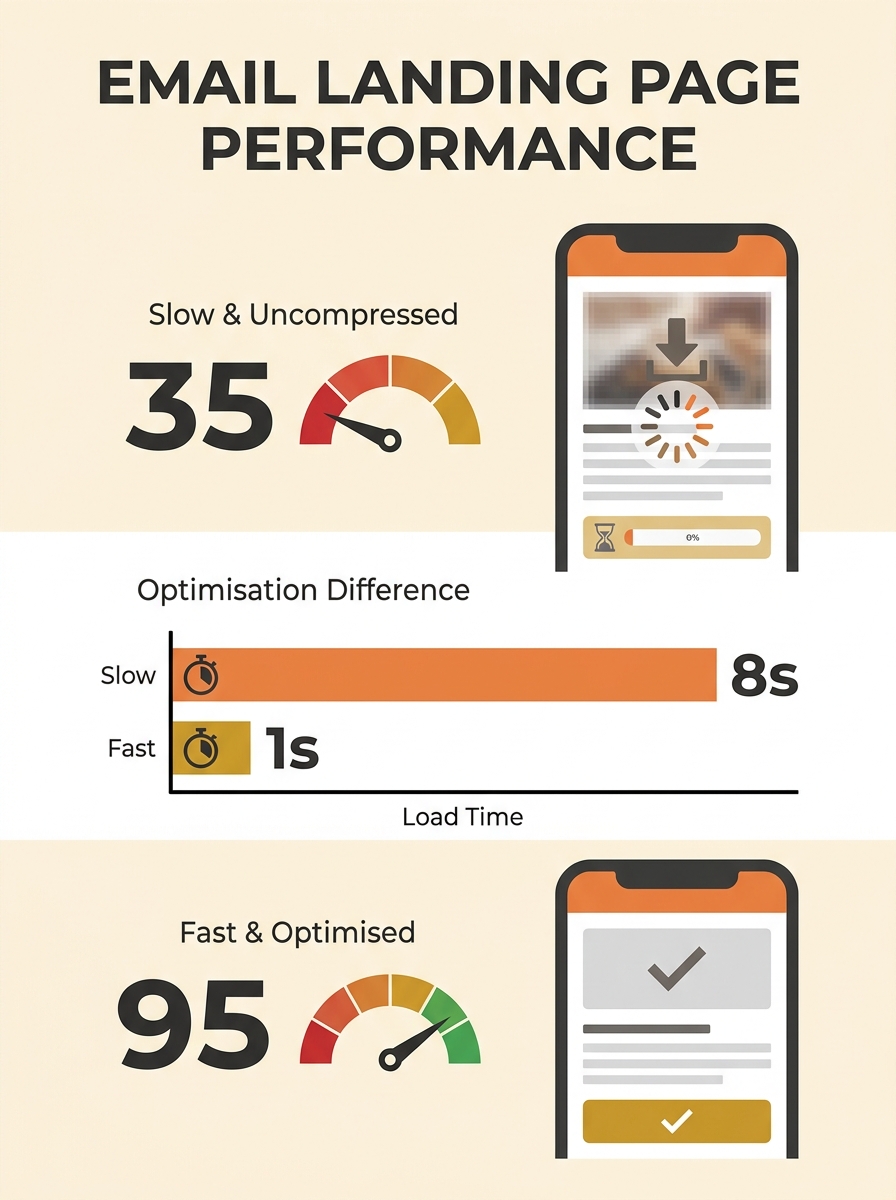
Compression tools can reduce file sizes by up to 80% while maintaining visual quality that’s indistinguishable to the human eye. That’s the difference between a landing page that loads in 1.2 seconds and one that loads in 4.5 seconds on a 4G connection.
The rule is simple: no image uploaded to a campaign landing page should exceed 200KB. If your email team is exporting hero banners at 1920px wide and full quality from Canva or Photoshop, those files routinely land between 1MB and 5MB. That’s a Core Web Vitals failure waiting to happen.
When this rule bends
High-resolution product photography for ecommerce sometimes needs to exceed 200KB to serve zoom-in functionality. In those cases, lazy load the large version and serve a compressed thumbnail as the initial render. The LCP element should always be the compressed version.
Write alt text that matches the content around it, not the campaign brief
This is where email marketing habits cause the most invisible damage. Email alt text is typically short and functional: “Summer sale banner” or “New arrivals.” That same lazy alt text then gets copy-pasted onto the website landing page image, and it stays there forever.
ShortPixel’s research published earlier this year confirmed what many in the technical SEO space suspected: AI crawlers compare alt text against the surrounding paragraphs. When the alt text aligns with the page content, the image registers as a genuine illustration of the topic. When it doesn’t, AI systems treat it as decoration and ignore it.
For alt text AI search visibility, this distinction matters enormously. ChatGPT, Claude, Perplexity, and Google’s AI Overviews all parse alt text to understand what a page is about. An alt text that reads “hero-banner-may-2026.jpg” contributes nothing. An alt text that reads “Compression comparison showing AVIF format at 45KB versus original JPEG at 380KB for identical product photo” tells every crawler exactly what the image illustrates.
Tip: Before any email campaign goes live, audit every landing page image’s alt text against the surrounding copy. If you can swap the alt text onto a completely different page and it would still make sense, it’s too generic. Tools like AltText.ai can generate contextual descriptions in over 130 languages, but a quick manual review against the page content is still the most reliable check.
If you’ve been tracking your SEO benchmarks on a weekly or monthly cycle, add a column for alt text coverage on campaign landing pages. The gap is usually wider than teams expect.
Serve AVIF with WebP fallback on every landing page you send traffic to
AVIF browser support now exceeds 90%, and the format delivers roughly 50% smaller file sizes than JPEG at equivalent visual quality. Despite this, the majority of Australian SME sites we audit still serve JPEG or PNG exclusively on their campaign landing pages.
The implementation uses the HTML picture element to serve AVIF as the primary format with WebP as the fallback and the original JPEG or PNG as the last resort. Search Engine Land’s complete image optimisation guide recommends pairing this with the srcset and sizes attributes, which tell the browser how large an image will appear at different screen widths so it downloads only the version it needs.
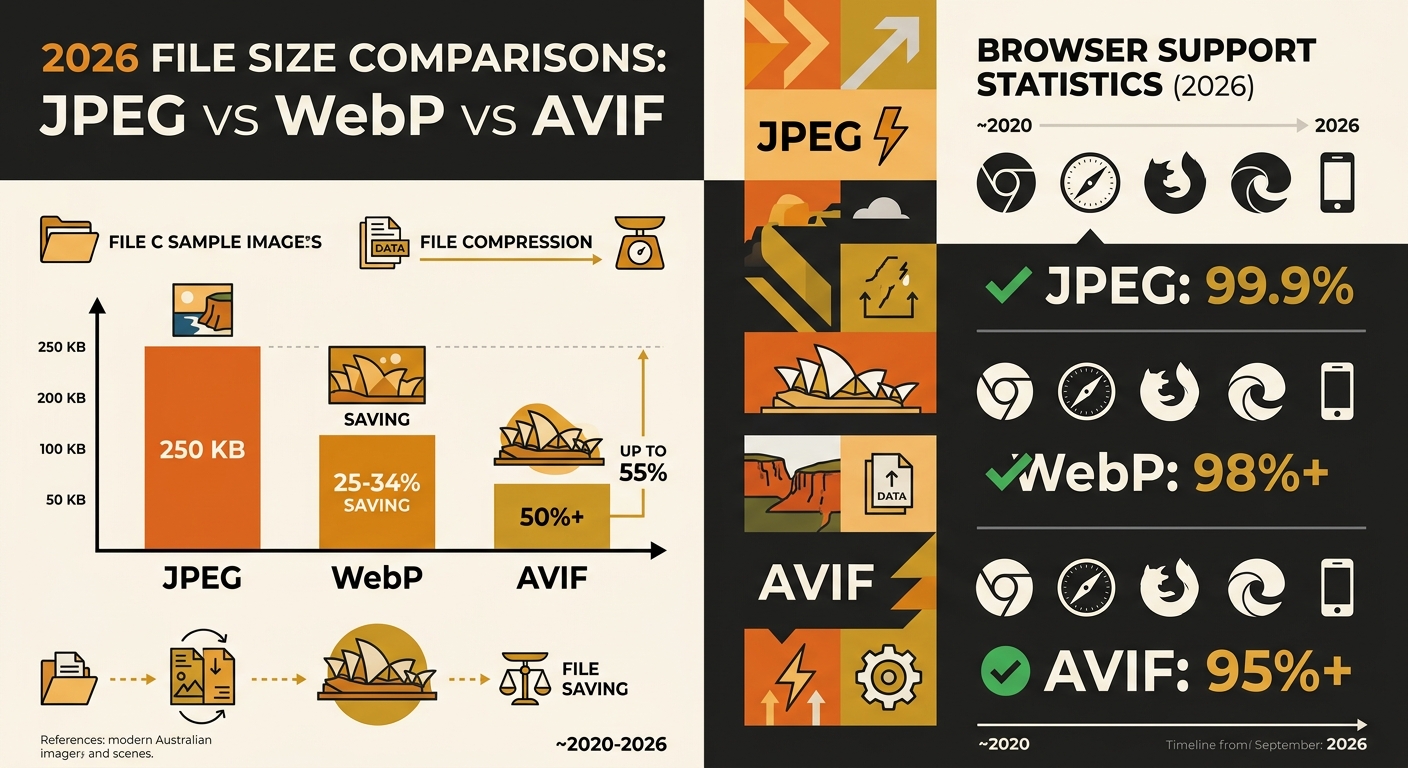
For Core Web Vitals image compression, the format switch alone typically improves LCP by 0.5 to 1.5 seconds on mobile connections. That’s often enough to push a “needs improvement” score into “good” territory without touching any other element on the page.
When this rule bends
Some email service providers embed preview thumbnails using the Open Graph image from your landing page. If your OG image is AVIF and the email client doesn’t support it, the preview breaks. Always set your OG image to WebP or JPEG while serving AVIF to browsers on the actual page.
Set explicit width and height on every image element
Images without declared dimensions cause layout shift during loading. A subscriber clicks through from your email, the page starts rendering, and then a 600px-tall hero image loads and shoves all the content downward. That’s a Cumulative Layout Shift (CLS) penalty, and it’s one of the three Core Web Vitals metrics Google uses as a ranking signal.
As documented in guidance on optimising images for Core Web Vitals, images queued for download late during rendering or served without explicit dimensions frequently cause both high LCP and high CLS scores simultaneously.
Email marketers are among the most prolific uploaders of unoptimised images to business websites, and the technical SEO damage compounds silently with every campaign.
The fix takes about ten seconds per image: add width and height attributes in the HTML that match the image’s aspect ratio. The browser then reserves the correct space before the image downloads, eliminating the shift entirely. CSS can still make the image responsive; the attributes just prevent the layout from jumping.
If your site’s content architecture is already well-structured, adding explicit dimensions protects that careful layout work from being undermined by campaign image uploads.
Audit email-driven landing pages separately from your main site crawl
Here’s the pattern we see repeatedly with Australian businesses: the main site gets a technical SEO audit quarterly. Campaign landing pages, which sit on the same domain but are created hastily for promotional pushes, get missed entirely. They’re often built from a different template, uploaded by a different team, and forgotten the moment the campaign ends.
These pages still get indexed. They still accumulate backlinks from the email traffic. And they still drag down your domain’s aggregate Core Web Vitals performance in Google Search Console.
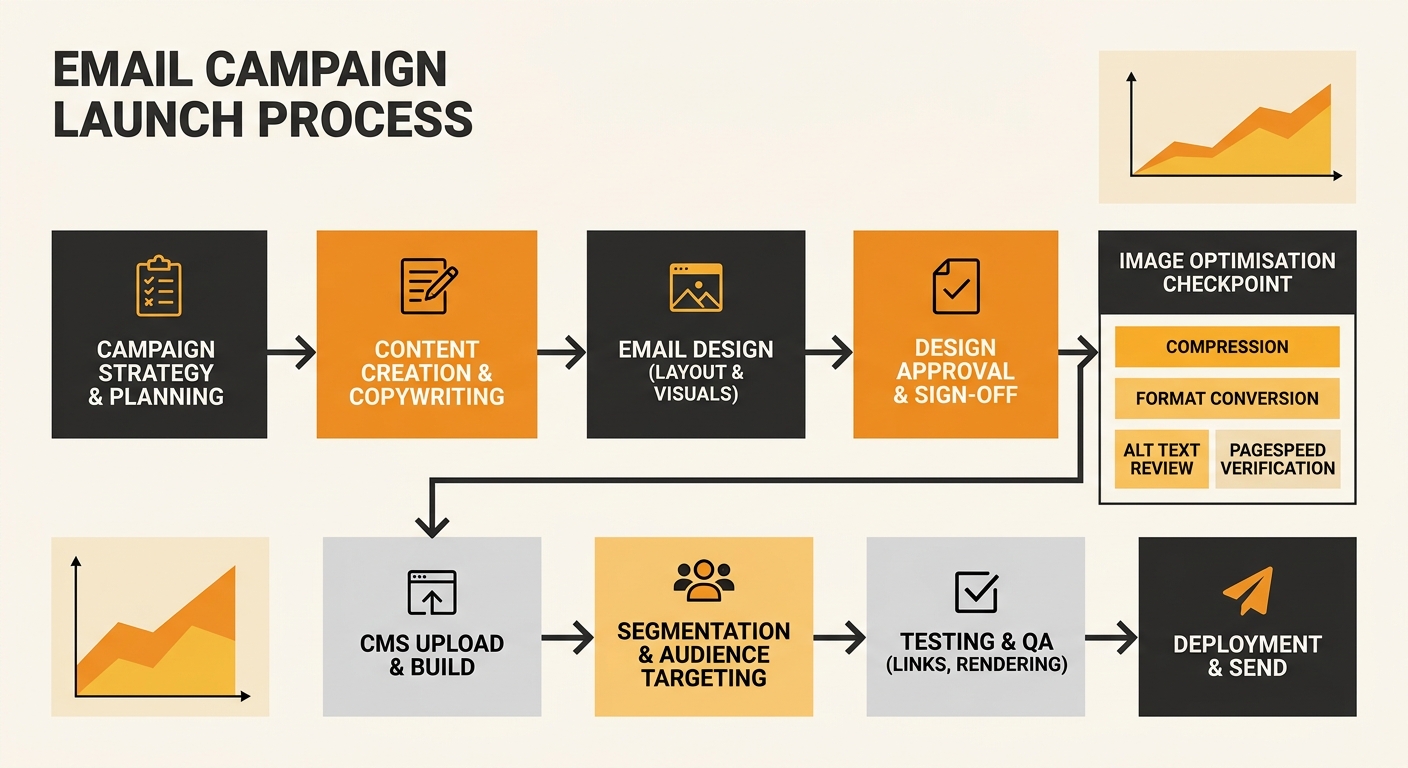
Run PageSpeed Insights on every landing page URL before the associated email campaign sends. Not after. Before. If the LCP is above 2.5 seconds, compress and convert your images before the traffic arrives. Fixing it after launch means your subscribers already had the poor experience, and Google may have already recorded the slow score.
For teams already diagnosing ranking drops systematically, email campaign landing pages should be an explicit node in your debugging checklist. We’ve seen cases where a single promotional page with a 6MB uncompressed banner was responsible for a domain-wide CLS regression in Search Console’s field data.
Treat your image sitemap as a campaign asset, not an afterthought
Google Images drives over 22% of all web searches. Google Lens processes more than 12 billion visual queries monthly, growing at 30% annually. For Australian retail, hospitality, and service businesses running email campaigns with strong visual content, that’s an enormous source of additional organic traffic sitting untouched.
An image sitemap tells search engines exactly which images exist on your site and provides metadata about each one. Campaign landing pages with properly sitemapped, compressed, alt-text-described images can rank in Google Images for product and service queries that your competitors’ email teams never think to target.
Australian SME site performance in image search is particularly underexploited. A café in Melbourne running an email campaign for a new seasonal menu could have those food photography images ranking in Google Images for “Melbourne winter menu” or “seasonal brunch Melbourne” if the images were properly optimised, described, and sitemapped. Without those steps, the images exist only for the people who open the email.
Warning: If you’re running campaigns with stock photography, be aware that the same stock image indexed on hundreds of other sites provides zero competitive advantage in image search. Original photography, even shot on a phone, outperforms stock in both traditional and AI-powered search results.
When these rules break down
Every rule above assumes your email campaigns drive traffic to pages you control on your own domain. If you’re sending subscribers to third-party marketplaces, social media landing pages, or platforms where you can’t modify image attributes, most of these optimisations aren’t available to you.
The other exception is genuinely temporary pages. If a landing page lives for 48 hours, gets deindexed immediately after, and exists only for a flash sale, the SEO impact is minimal. But be honest about what counts as temporary. We’ve audited Australian ecommerce sites with “temporary” promotional pages that have been indexed for eighteen months because nobody added a noindex tag or removed them after the campaign ended.
The broader point holds: every image your email marketing team uploads to your website becomes a permanent part of your technical SEO profile. The habits that work inside email clients, where images are decorative and alt text is optional, actively damage your search performance when transplanted to the open web. Treating image optimisation as a shared responsibility between your email and SEO teams, rather than something one group handles after the other is finished, closes the gap that most Australian businesses don’t realise they have.