

Transferwise migrated to wise.com and watched monthly visits crater from 32 million to 12.9 million almost immediately. The domain migration ranking loss looked catastrophic. But their redirect strategy and pre-migration planning held firm, and traffic eventually climbed to 205 million monthly visits — a result that dwarfed the original numbers. That’s the best-case scenario, and it still involved months of watching numbers fall before they recovered. A major unnamed retailer, by contrast, skipped its pre-launch SEO audit, ignored redirect mapping recommendations, and lost roughly $5 million in organic revenue within the first month.
For Australian businesses considering a platform change, a domain move, or a restructure of their URL architecture, the stakes are high and the margin for error is thin. Current data suggests even well-executed migrations typically lose 20–40% of SEO value in the short term, with 80% of SEO professionals expecting some traffic loss during the process. More worrying: 17% of migrations never recover their original traffic levels, even after 1,000 days. These numbers should make anyone pause before clicking “publish” on a new site without a thorough website migration SEO checklist in place.
Everything That Matters Happens Before Launch
The single biggest misconception about website migrations is that the hard work happens on launch day. The real determinant of success is the weeks (ideally months) of planning that precede the switch. And the first task is deceptively simple: crawl your existing site and document every URL that currently exists, along with its traffic, backlinks, and ranking positions. Tools like Screaming Frog, Ahrefs, or SEMrush can handle the technical crawl, but the strategic decisions about what to keep, what to redirect, and what to let die require human judgment.
When you’re rebuilding your site’s content architecture, this is the moment to make deliberate choices. Scan your pages and identify which ones should be removed entirely, as WebApex’s migration guide recommends, and redirect those removed pages to relevant existing content rather than sending visitors to a 404 page. The key word there is “relevant.” Redirecting every old page to your homepage is a common shortcut that Google treats as a soft 404 anyway, which means you get none of the link equity benefits you were hoping for. Each redirect needs to point to a page that genuinely matches the intent and topic of the original.
Your new site should be developed in a password-protected, noindexed staging environment. This sounds obvious, but one documented case study showed a client losing 50% of their indexed pages because an incorrect robots.txt file was pushed live during development. The staging environment lets you audit meta tags, canonical URLs, structured data, and internal linking before anything touches a production server. Set up GA4 on your legacy site at least one month before migration to establish accurate traffic baselines. Without those baselines, you’ll have no way to measure whether your migration succeeded or failed.
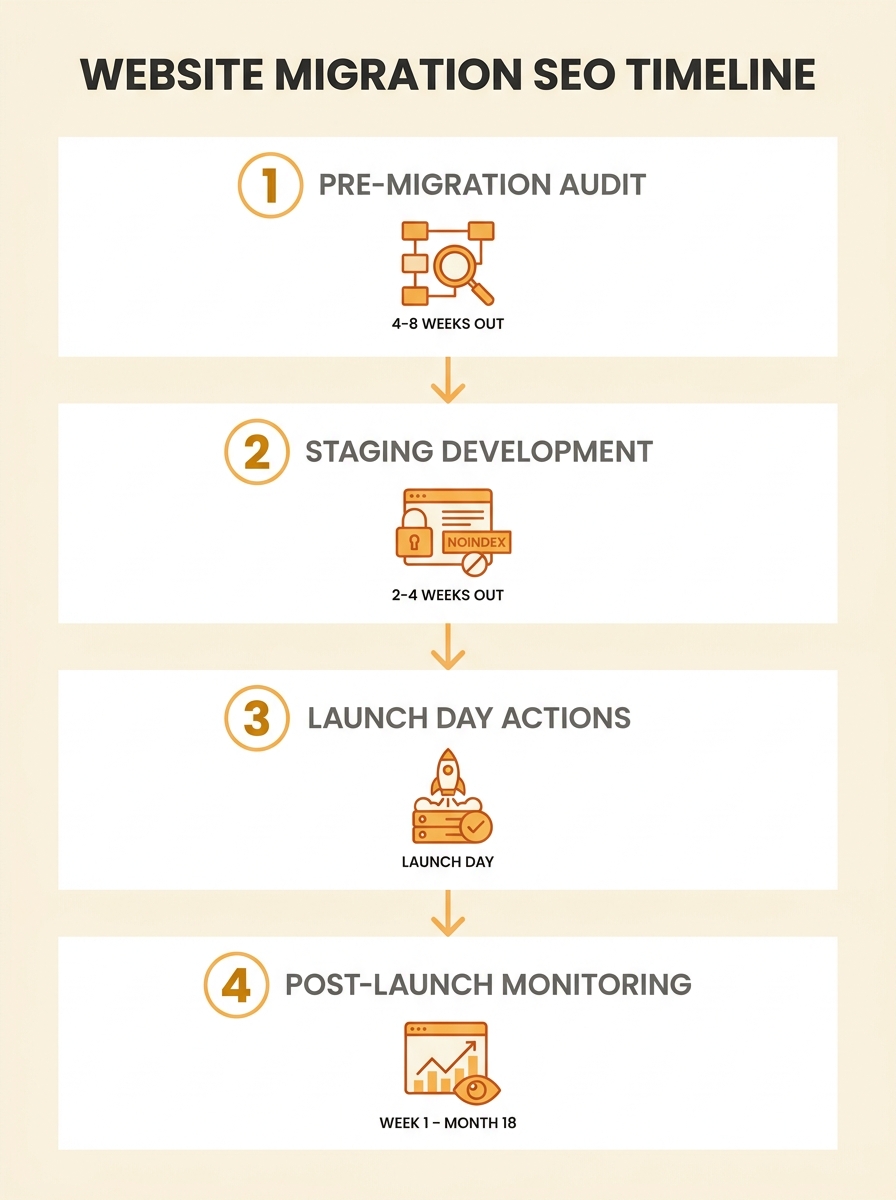
One more thing on timing: Australian SEO practitioners consistently recommend avoiding peak sales periods for your go-live date. An e-commerce site migrating in November, right before the holiday shopping season, is adding commercial risk on top of technical risk. Low-traffic weekends are the preferred launch window, giving your team a buffer to catch and fix issues before Monday morning traffic arrives.
The Redirect Map Is Your Insurance Policy
If there’s one element that every migration guide, case study, and practitioner agrees on, it’s this: your 301 redirects strategy determines whether you keep or lose your rankings. A 301 redirect tells search engines that an old URL has permanently moved to a new one, and as Moz’s redirect documentation explains, this permanent redirect passes full link equity to the target page. A 302 redirect, by contrast, signals a temporary move and doesn’t transfer that equity. Using one when you mean the other is an expensive mistake that often goes unnoticed for weeks.
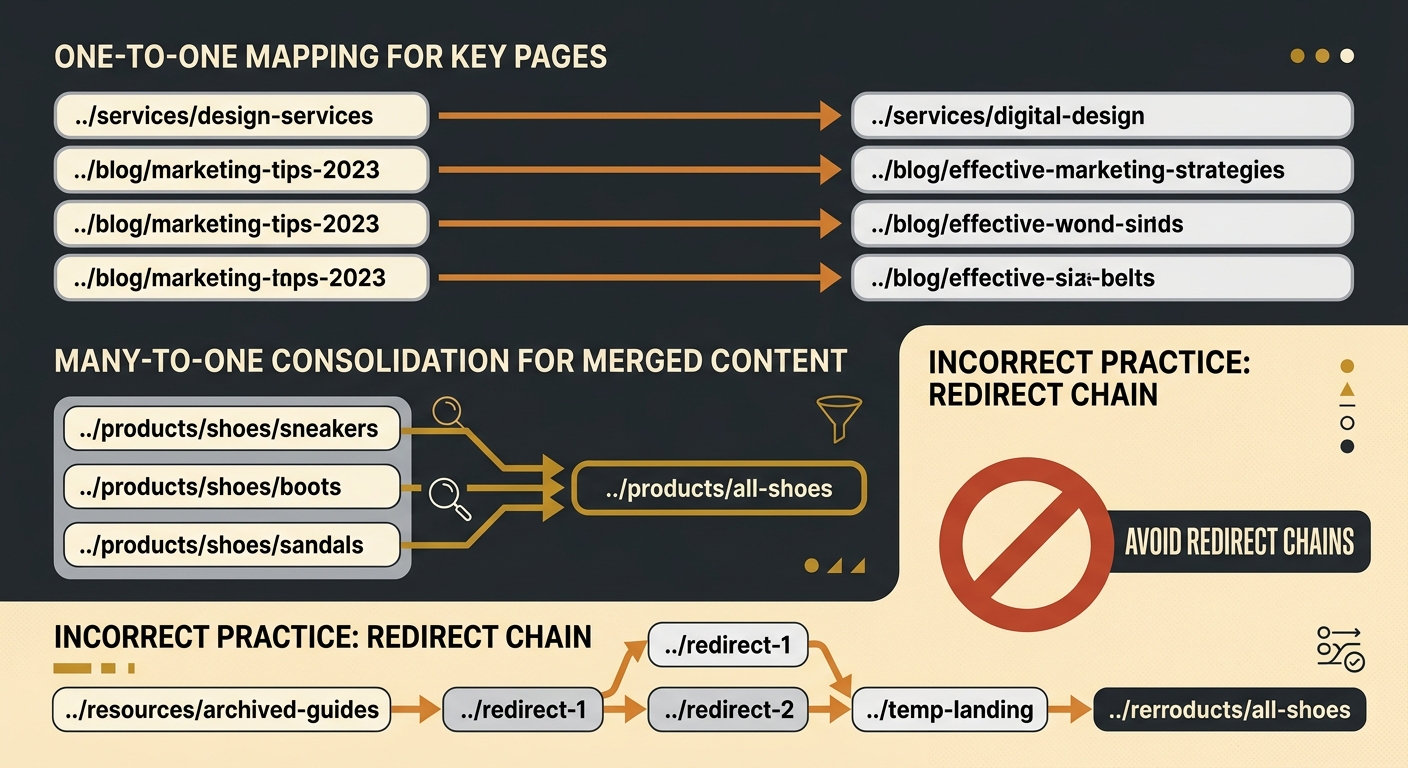
Building the redirect map is tedious work. Every URL on your old site that has traffic, backlinks, or ranking value needs a corresponding destination on the new site. One-to-one mapping is the gold standard: old page A redirects to new page A, not to a vaguely related category page. Where pages are being consolidated, redirect all old URLs to the single new page that best matches the original content’s intent. And test every redirect before launch. Redirect chains (where URL A redirects to URL B, which redirects to URL C) dilute link equity and slow down crawling. If your business has accumulated technical SEO debt over the years through broken internal links, orphaned pages, and conflicting canonical tags, a migration is actually a reasonable time to clean house.
But resist the temptation to rewrite your top-performing content at the same time. Experts consistently advise preserving high-ranking, high-traffic content exactly as it is during migration. You can optimise it later, once the site has stabilised. Changing URLs, redirects, and content simultaneously makes it nearly impossible to diagnose what went wrong if rankings drop. Change one variable at a time. A thread on Reddit’s r/TechSEO captures this reality well: when asked whether 301 redirects drop rankings for already-ranking pages, one practitioner noted it depends on whether the URLs have backlinks, whether they rank for branded or unbranded keywords, and whether Google has to reindex at scale. The practitioner had seen both outcomes, which reinforces why isolating variables and monitoring closely matters so much.
The Subdomain Question
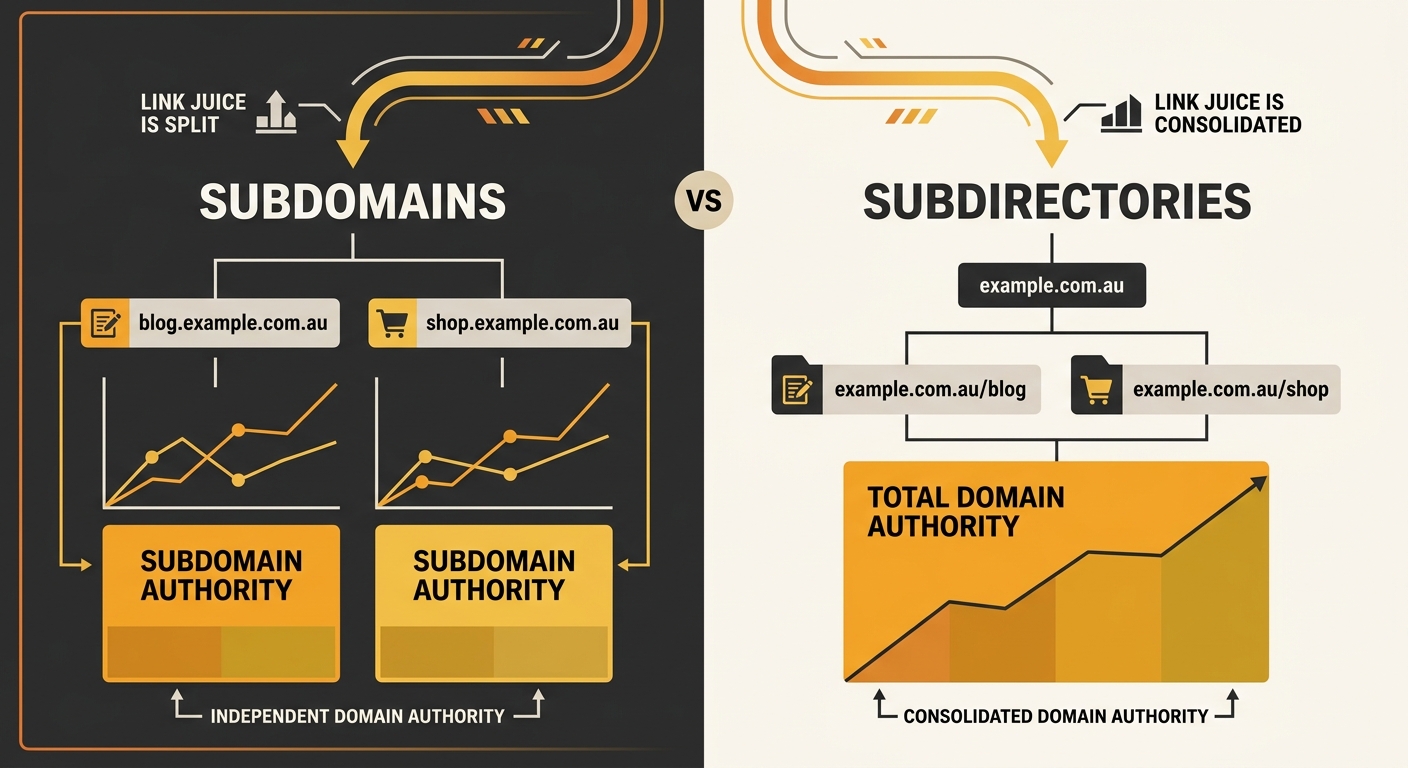
Australian businesses restructuring their sites often face a decision about whether content should live on a subdomain (blog.example.com.au) or a subdirectory (example.com.au/blog). The subdomain migration SEO debate has been running for years, and the answer is less clear-cut than many guides suggest. Google has repeatedly said it can handle both structures, and the technical SEO difference between them is minimal in isolation.
The average domain migration ranking loss recovery takes 523 days to return to original traffic levels. That’s roughly 18 months, with real implications for revenue forecasting and stakeholder expectations.
The practical reality, though, is more nuanced. The main risk of a subdomain move is the period during which Google is learning that the new subdomain is related to your primary site, and any dip during that learning period tends to be temporary. Meanwhile, SEO consultant Aleyda Solis published a case study showing that migrating from subdomains to subdirectories improved organic rankings, which many practitioners cite as evidence for the subdirectory approach. The weight of practitioner opinion leans toward subdirectories for most Australian SMEs, primarily because it consolidates domain authority under a single host and simplifies your crawling and indexation setup. If you’re running a complex multi-product business with genuinely distinct audiences, subdomains can work. For everyone else, subdirectories are the simpler, lower-risk option.
Where Confidence Breaks Down
Here’s the uncomfortable part of any website migration SEO checklist: even if you do everything right, you should expect a traffic dip. A 5–15% drop in the first week is considered normal. A drop exceeding 30% is a red flag that something in your redirect mapping or technical setup has gone wrong, and you need to investigate using a structured diagnostic approach immediately. Post-launch, monitor organic traffic by page in GA4, track 404 errors through the “Pages and screens” report, and compare year-over-year performance to identify which specific pages lost visibility.
The average domain migration takes 523 days to return to original traffic levels. That number deserves attention. It means you’re looking at roughly 18 months before the SEO impact of a migration fully resolves, which has real implications for revenue forecasting, marketing planning, and how you set expectations with stakeholders who want to know why the numbers look worse after an expensive rebuild. This isn’t a timeline most agencies or web developers mention during the sales process.
What remains genuinely uncertain is whether these recovery timelines will hold as Google’s crawling and indexation patterns continue to shift. AI crawlers now add another layer of complexity to migrations. If your old URLs were being cited by AI search tools, those citations won’t automatically follow your redirects. The 301 redirect is an instruction to traditional search engine crawlers, and whether AI systems like GPTBot or PerplexityBot honour them consistently is still an open question. Businesses that have already audited their AI crawler accessibility will be better positioned to understand the full scope of what a migration affects. For the rest, the honest answer is that we’re operating with incomplete information about a process that already carries significant risk. Thorough planning, obsessive testing, and close monitoring reduce that risk substantially, but they can’t eliminate the turbulence that comes with moving a living website from one home to another.