

Conflicting crawling directives across robots.txt, meta robots tags, X-Robots-Tag headers, and canonical tags create silent indexing failures that standard audits miss. These conflicts accumulate as technical SEO debt and erase pages from search results without triggering a single error in most monitoring tools.
TL;DR: When multiple crawling and indexing rules contradict each other, Google defaults to the most restrictive interpretation. A structured audit of every directive layer is the only reliable way to find and fix these conflicts before they damage your brand’s search visibility. Audit by template type, not page by page.
Your brand’s reputation in search depends entirely on what Google can actually crawl, render, and index. When crawling rules cancel each other out, the pages that define your business disappear from results. Service pages, case studies, client testimonials, location pages: gone. Competitors fill the gap. For Australian SMEs operating without dedicated SEO teams, this debt compounds across every CMS update, plugin change, and agency handoff.
These seven rules form the Directive Stack Audit, a systematic method for identifying and resolving indexing rule conflicts across every layer of your site’s crawl configuration.
Map every directive layer before you touch a single rule
The most common mistake in a crawling rules audit is fixing individual problems in isolation. A robots.txt disallow gets removed, but nobody checks the meta robots tag on the affected pages. A canonical tag gets updated, but the X-Robots-Tag header still sends noindex.
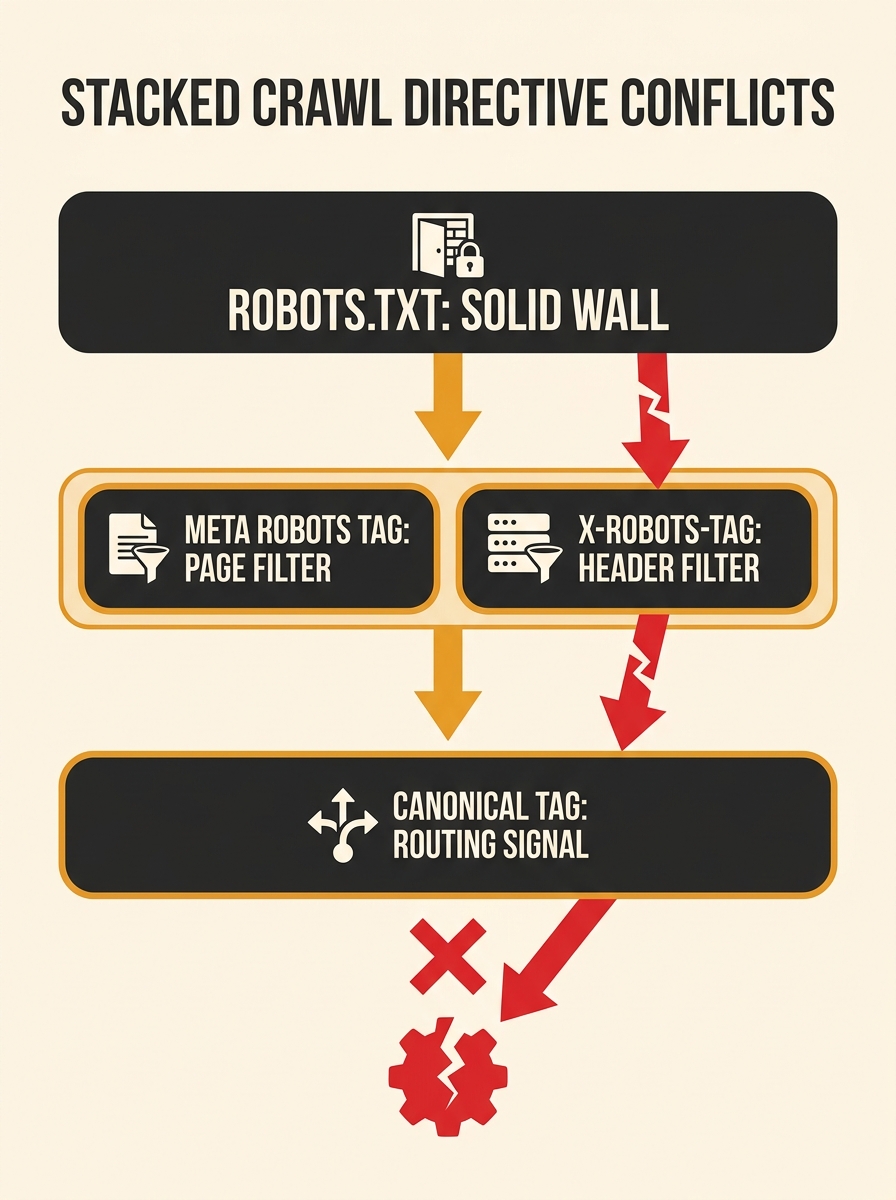
Your site has at least four layers where crawling and indexing instructions live:
- robots.txt controls whether Googlebot can access a URL at all
- Meta robots tags are HTML-level directives that tell Google whether to index or follow links
- X-Robots-Tag HTTP headers are server-level directives applied to responses, including non-HTML files like PDFs
- Canonical tags signal which version of a URL should be treated as authoritative
According to Google’s robots meta tag documentation, X-Robots-Tag headers let you “specify crawling rules that are applied globally across a site,” including through regular expressions. A single .htaccess rule can silently override page-level settings across thousands of URLs. Before changing anything, export the current state of all four layers for every URL template on your site. Tools like Screaming Frog, which can identify over 300 SEO issues including directive conflicts, make this export practical even for sites with tens of thousands of pages.
Treat robots.txt blocks as absolute walls, not suggestions
Robots.txt operates at a different stage in Google’s crawl pipeline than every other directive. When robots.txt blocks a URL, Googlebot never fetches the page. It never reads the HTML. It never sees the meta robots tag, the canonical tag, or any structured data on that page.
This creates one of the most dangerous indexing rule conflicts in technical SEO. According to a reference on robots.txt and meta robots interactions, “when multiple meta robots tags or values conflict, Google uses the most restrictive combination. Noindex always wins over index; nofollow always wins over follow.” But this resolution rule only applies when Google can actually read both directives. Robots.txt prevents that reading entirely.
The rule breaks intentionally when you’re using robots.txt to block low-value URLs from consuming crawl budget. The block is the point, and you don’t need Google to read page-level directives. The problem arises when the block is accidental: inherited from a previous developer, left over from a staging environment, or added by a security plugin nobody configured.
We’ve covered how robots.txt and meta robots conflicts work in detail before. The audit step here is direct: cross-reference every robots.txt disallow rule against your list of URLs that should be indexed. Any overlap is a conflict.
Check for the noindex-behind-a-block paradox first
This is the single most common conflict pattern in technical SEO debt for Australian businesses, and it directly damages search reputation because the affected pages are the ones you most want visible.
The paradox works like this: a developer adds a noindex meta robots tag to a page during staging. The site launches. Later, someone adds a robots.txt disallow for the same URL path, maybe to block a duplicate or a parameter-based variant. Now robots.txt prevents Google from seeing the noindex directive. As User Growth’s guide to meta robots tags documents, “using robots.txt can prevent search engines from seeing noindex directives in the meta robots tag, possibly leading to unexpected content indexing.”
The result: Google might index a page you explicitly told it not to index, because your robots.txt block prevented it from reading that instruction. Or the reverse happens. Google already knew about the page, the robots.txt block prevents recrawling, and the page sits in the index with stale content and no way to update its directives.
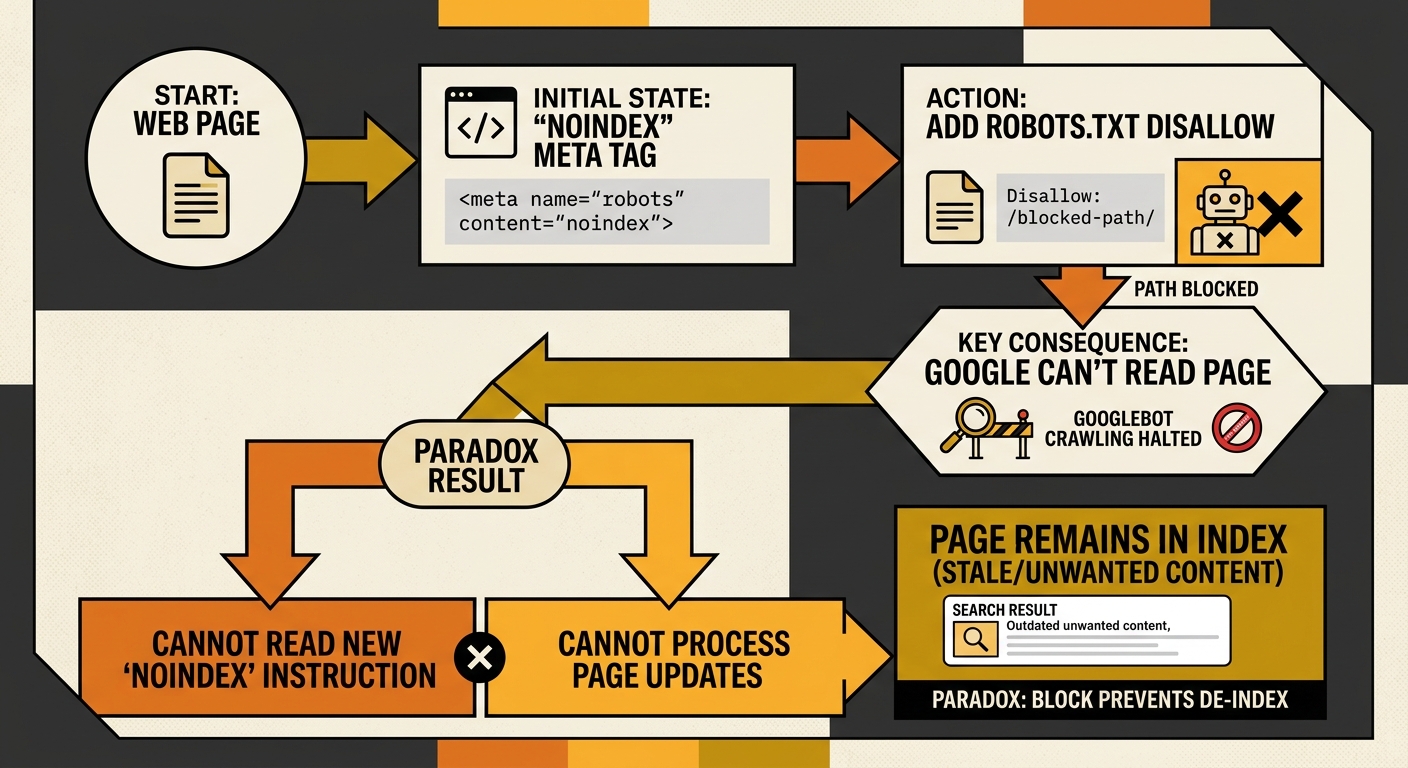
This paradox applies equally to X-Robots-Tag headers. As MDN’s documentation on X-Robots-Tag states, “indexing rules won’t be discovered or applied if paths are blocked from being crawled by a robots.txt file.”
Audit X-Robots-Tag headers separately from page-level meta tags
X-Robots-Tag headers are invisible in your HTML source. You won’t find them by viewing page source or by running a basic site crawl that only parses HTML. They live in HTTP response headers, configured at the server level in .htaccess files, nginx configs, CDN edge rules, or application middleware.
When an X-Robots-Tag header and a meta robots tag conflict on the same page, Google applies the more restrictive directive. A page with a meta robots “index, follow” tag and an X-Robots-Tag “noindex” header will not be indexed. The noindex wins every time.
The audit challenge is that X-Robots-Tag rules often use pattern matching. A rule targeting all PDF files across a domain, or all URLs containing a specific path segment, can inadvertently apply to pages that should be indexed. The rule applies to any file type: HTML pages, images, JavaScript files, PDFs. The blast radius is larger than most site owners realise.
Check your server configuration files directly. Don’t rely on CMS interfaces to show you what headers are being sent. Use browser developer tools or a dedicated HTTP header inspection tool to verify the actual response headers for each URL template on your site.
Resolve canonical conflicts before worrying about crawl budget
Why do canonical tags create their own category of indexing rule conflict? Because they don’t block crawling or explicitly prevent indexing. Instead, they tell Google which URL should receive ranking signals when multiple URLs serve similar content. When canonical tags conflict with meta robots directives, Google receives contradictory signals about which page matters.
A page with a noindex meta robots tag and a canonical pointing to itself sends a confusing signal. A page with a canonical pointing to a different URL, where that target URL has its own noindex directive, creates a chain of contradictions. We’ve written about why canonical tags often fail for Australian SMEs and the specific patterns that cause these breakdowns.
A page with a noindex meta tag and a canonical pointing to itself sends Google two contradictory instructions about the same URL, and Google will always choose the more restrictive one.
Use Google Search Console’s “Pages” report to filter non-indexed URLs. Look specifically for “Duplicate, submitted URL not selected as canonical.” This indicates Google disagreed with your canonical tag, meaning the signal you sent was either contradicted by another directive or overridden by Google’s own content assessment.
Run the audit by template type, not page by page
A site with 5,000 pages might have only 8 to 12 distinct page templates. Each template type shares the same crawl directive configuration. A robots.txt rule, meta robots tag, or X-Robots-Tag header that affects one product page almost certainly affects every product page using that template.
Auditing by template collapses a 5,000-page problem into a 12-template problem. This is consistent with the Incremys 2026 technical audit guide, which recommends you “audit by template, fix blocking errors first, then strictly align what is declared in JSON-LD with what is visible on the page.”
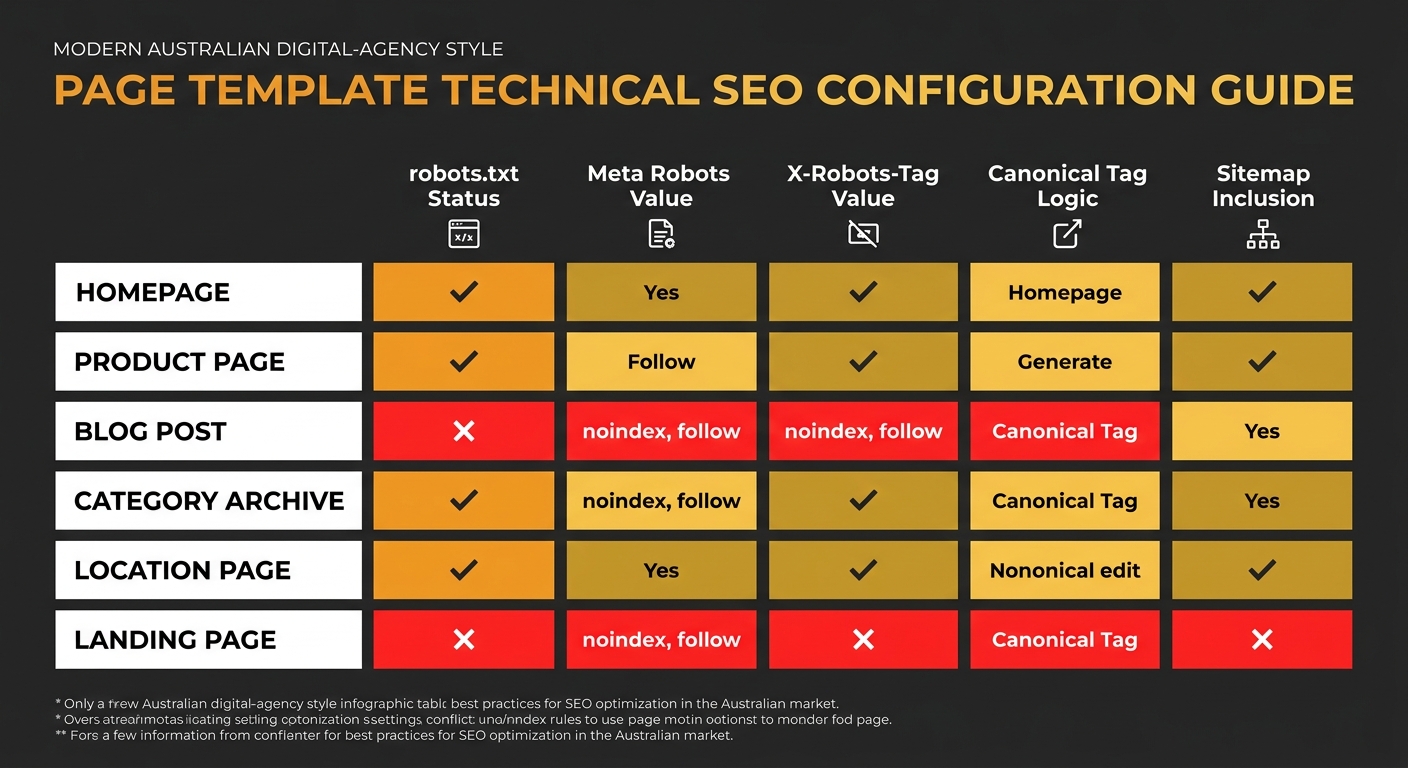
For each template, document:
- The robots.txt rules that apply to URLs using that template
- The meta robots tag value in the template’s HTML
- Any X-Robots-Tag headers applied by server configuration to that URL pattern
- The canonical tag logic (self-referencing, parameterised, or pointing elsewhere)
- Whether the template appears in your XML sitemap
If any two of these five items contradict each other, you’ve found technical SEO debt. And when that template controls pages that shape how your brand appears in search, that debt has direct reputation consequences. We’ve explored how site architecture audits reveal hidden technical debt using a similar template-first methodology.
Document every fix and assign an owner, or the debt returns
Google’s Gary Illyes has identified a 2MB fetch limit for HTML pages. Bloated templates with inline CSS and massive navigation menus can push critical SEO signals past the point where Googlebot stops reading. Fixing a meta robots conflict today means nothing if a future CMS update pushes your directives below that threshold.
Every fix from a crawling rules audit needs three things: documentation of what changed, the reason for the change, and an owner responsible for monitoring it. Without this, the next plugin update, server migration, or agency handoff reintroduces the same conflicts. The Incremys guide explicitly recommends you “document a maintenance rule to prevent divergence during future updates.”
Warning: If your site has been through [multiple platform changes or agency handoffs](/blog/conflicting-crawling-indexing-rules-google-ai), assume conflicting directives exist until proven otherwise. The default state of a multi-migration site is accumulated technical SEO debt.
When These Rules Break Down
The Directive Stack Audit assumes your site runs on a standard CMS with predictable URL structures and server-side rendering. JavaScript-heavy single-page applications, headless CMS architectures with edge rendering, and sites using heavy client-side routing introduce additional layers where crawl directives can be overridden, ignored, or never applied at all.
Sites running behind a CDN with edge-computed responses may send different X-Robots-Tag headers depending on the request path, geographic location, or cache state. The methodology above still applies, but you’ll need to verify headers from multiple locations and cache states rather than relying on checks from your local environment. Technical SEO debt compounds the same way financial debt does. Each individual conflict looks minor in isolation. Together, they erode your site’s presence in search results, and with it, the brand reputation you’ve spent years building. The fix is methodical: template by template, layer by layer, and then maintained so it doesn’t come back.