

Shopify migration SEO depends on redirect accuracy, metadata preservation, and one factor most migration guides ignore entirely: the thousands of links embedded in your historical email campaigns, transactional flows, and automated sequences pointing at old Magento URLs. Email-driven traffic is a measurable recovery accelerant when managed correctly during an e-commerce platform migration in Australia.
TL;DR: E-commerce migrations break email links at scale. Australian stores moving from Magento to Shopify need to audit every automated email flow, map every URL in historical campaigns, and use their subscriber list strategically to drive re-indexing traffic during the critical 90-day post-launch window. The redirect plan and the email plan are the same plan.
250,000 Redirects and the Traffic Source Nobody Mapped
Eastside Co documented a Magento-to-Shopify migration for a global brand that required 250,000 individual 301 redirects, implemented through regex pattern-matching via their Easy Redirects app. The result: zero ranking loss and $139,000 in additional monthly organic sessions within two months. Authority Factors reported a separate case where a furniture e-commerce site achieved a 163% increase in organic clicks over six months after recovering from two poorly executed prior migrations, requiring manual review of 100,000 redirects (Shopify’s platform limit).
These numbers get quoted in every migration guide. What they leave out is the parallel URL ecosystem living inside email infrastructure. A mid-size Australian e-commerce store running Klaviyo or Mailchimp alongside Magento will have tens of thousands of product URLs hardcoded into past campaign sends, abandoned cart sequences, post-purchase flows, win-back automations, and transactional receipts. Those links don’t update when you set up 301 redirects on the web server. A subscriber clicking a product link in a promotional email from three months ago hits the redirect chain, and if the redirect is missing or misconfigured, they land on a 404. That 404 registers as a crawl error in Google Search Console, degrades user engagement metrics, and wastes the exact traffic signal you need most during recovery.
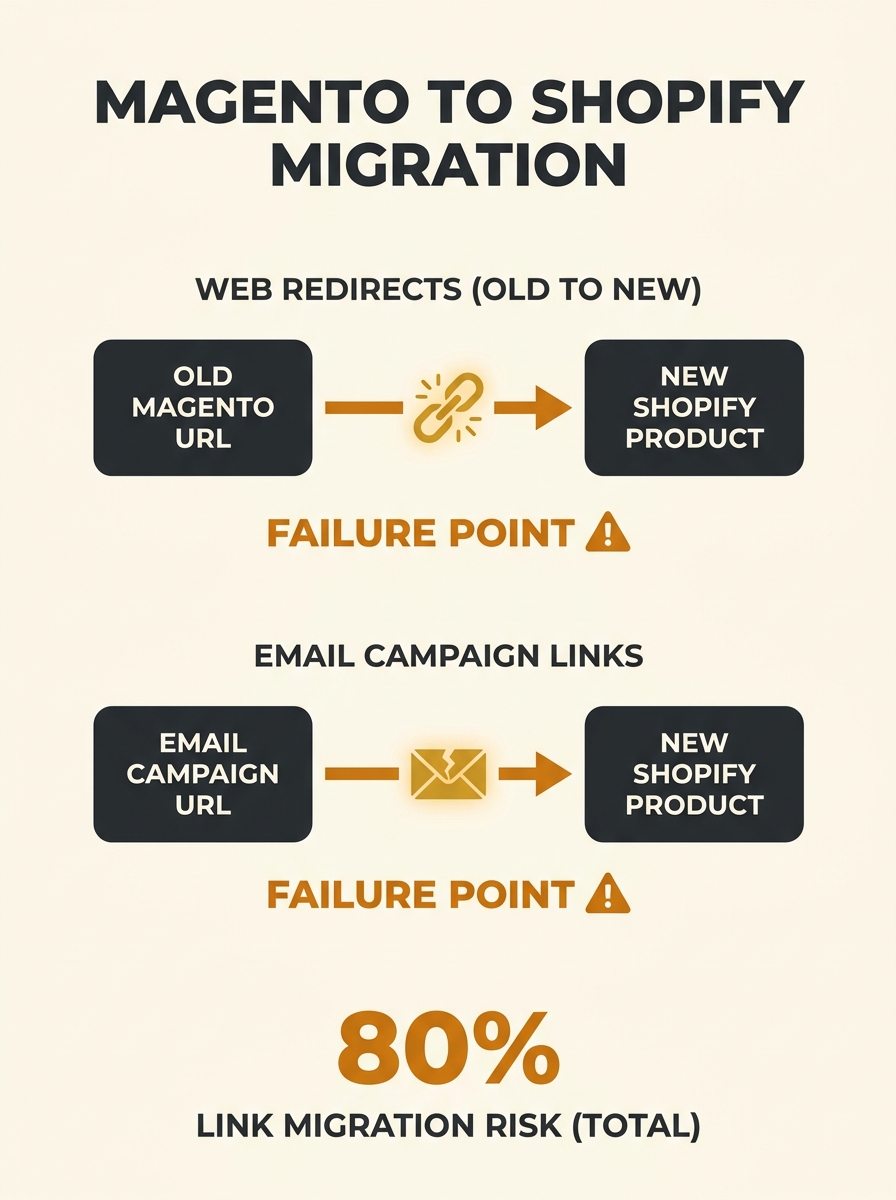
Swanky Agency reported a 42% organic traffic increase within three months for a pet care brand migrating from Magento to Shopify Plus, and a 62% traffic boost for a furniture brand moving from a custom platform. Both cases involved disciplined redirect implementation. But neither publicly detailed the email link remediation process, which is where Australian stores with active email programs face the steepest hidden risk.
Why Email Campaigns Create a Parallel Migration Problem
Every automated email sequence you’ve built in Magento — abandoned cart recovery, browse abandonment, post-purchase upsells, shipping confirmations, review requests — contains hardcoded product URLs using your old Magento URL structure. Magento’s default URL format (with category path prefixes, .html extensions, and parameter-heavy variants) differs substantially from Shopify’s flatter /products/handle structure.
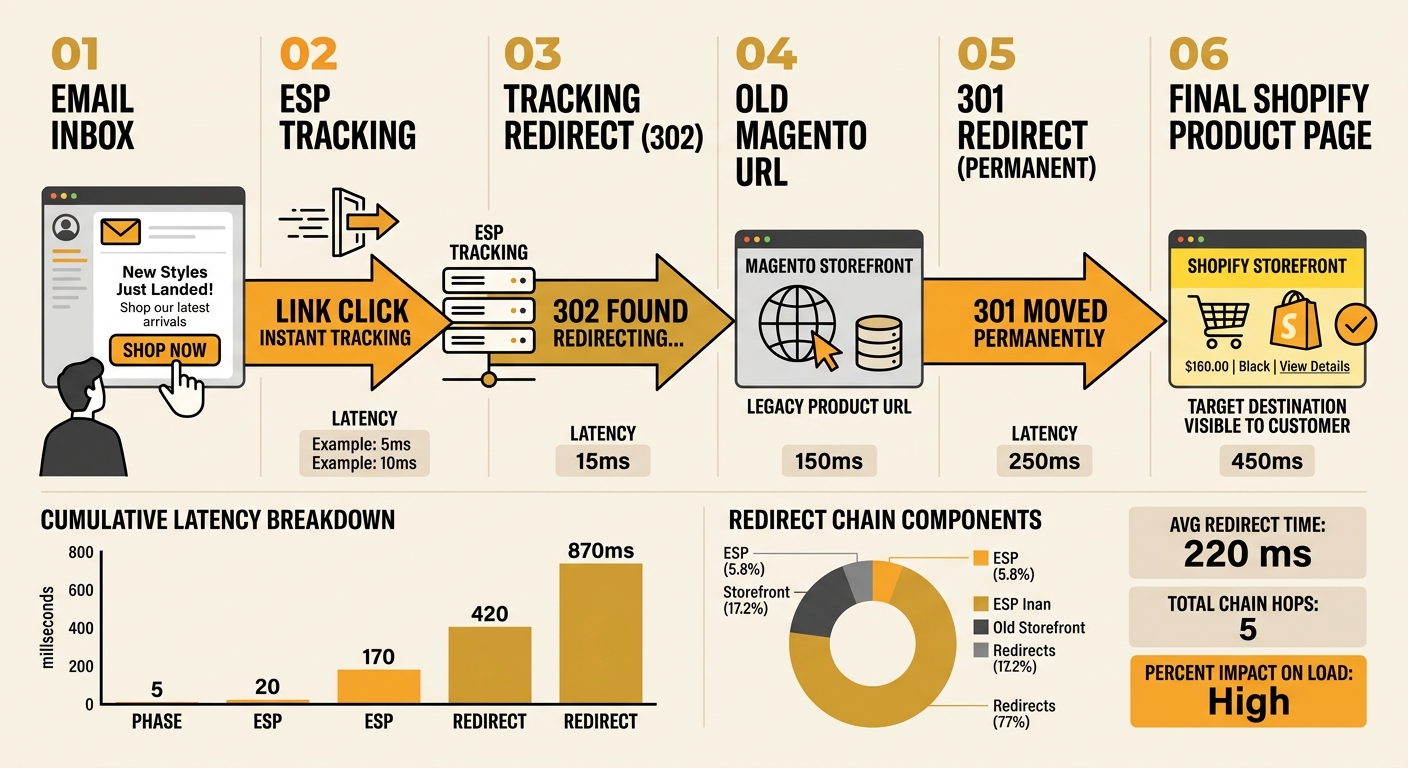
A URL mapping sheet matching old Magento URLs to new Shopify equivalents is the standard recommendation for web redirects. But that same mapping sheet needs to inform your email migration. Here’s where the technical gap appears: 301 redirects work for web crawlers and browser traffic, but email clients handle redirects inconsistently. Some email clients strip tracking parameters during redirect chains. Others display security warnings when a link redirects multiple times. And email service providers (ESPs) like Klaviyo, Omnisend, or Dotdigital wrap links in their own click-tracking redirects, adding another hop to the chain.
For Australian stores with email lists exceeding 20,000 subscribers, this means thousands of clicks per month flowing through a redirect stack that’s three or four hops deep: ESP tracking redirect → old Magento URL → 301 redirect → new Shopify URL. Each hop adds latency and increases the chance of a broken chain.
Warning: Shopify’s redirect limit is 100,000 URLs. If your Magento store has more product URLs than that, you’ll need to prioritise redirects for URLs that appear in active email automations, not just those with the highest organic traffic. Cross-reference your redirect priority list with your email link audit.
The Email Link Decay Audit
Before you flip the DNS switch, run what we call an Email Link Decay Audit across three layers of your email infrastructure. This framework applies whether you’re handling the Magento to Shopify technical SEO yourself or working with a Shopify development team.
Layer 1: Active automations. Export every URL from every active email flow in your ESP. Abandoned cart sequences, welcome series, post-purchase flows, win-back campaigns, browse abandonment triggers. Match each URL against your redirect mapping sheet. Any URL that doesn’t have a corresponding 301 redirect needs one before launch, or the flow link needs updating to the new Shopify URL directly.
Layer 2: Scheduled and recurring campaigns. If you have any campaigns scheduled to send during or after the migration window, update every product and collection link in those templates. Shopify Australia’s migration checklist recommends establishing a content freeze during migration — extend that freeze to email content too. Don’t send campaigns with old URLs during the transition period.
Layer 3: Historical sends. You can’t edit emails that have already been delivered. Links in historical campaigns will rely entirely on your redirect infrastructure. Identify which historical campaigns drove the most click volume over the past 12 months (your ESP analytics will show this), then verify that every URL from those high-traffic sends has a working redirect. This is where product page ranking recovery intersects with email: those historical clicks still trickle in for months, and each one either supports or undermines your new Shopify URL authority.
| Audit Layer | What You’re Checking | Tool / Source | Action Required |
|---|---|---|---|
| Active automations | Every URL in triggered flows | ESP flow builder export | Update links OR verify redirects |
| Scheduled campaigns | Links in queued sends | ESP campaign calendar | Update links before send date |
| Historical sends | URLs in past campaigns (12 months) | ESP click analytics | Verify redirects exist for top-clicked URLs |
| Transactional emails | Order confirmations, shipping, receipts | Shopify transactional email settings | Rebuild templates with new URLs |
Driving Re-Indexing Through Subscriber Engagement
Product page ranking recovery after migration typically takes 4 to 8 weeks, according to StudioUbique’s analysis of Magento to Shopify migration patterns. Google needs to recrawl and reprocess ranking signals for every redirected URL. You can accelerate that process by sending targeted traffic to your new product pages through your email list during the first 30 days post-launch.
This is the strategic play that separates a well-managed e-commerce platform migration in Australia from one that bleeds revenue for months. Your email subscribers are your most reliable traffic source during the uncertainty window. They already know your brand. They click through at higher rates than organic visitors. And their engagement signals (time on page, pages per session, add-to-cart actions) feed directly into the behavioural data Google evaluates.
Your email list is the single traffic channel you fully control during migration. Organic traffic is unstable, paid campaigns may be paused, and social referrals are unpredictable. Email is the constant.
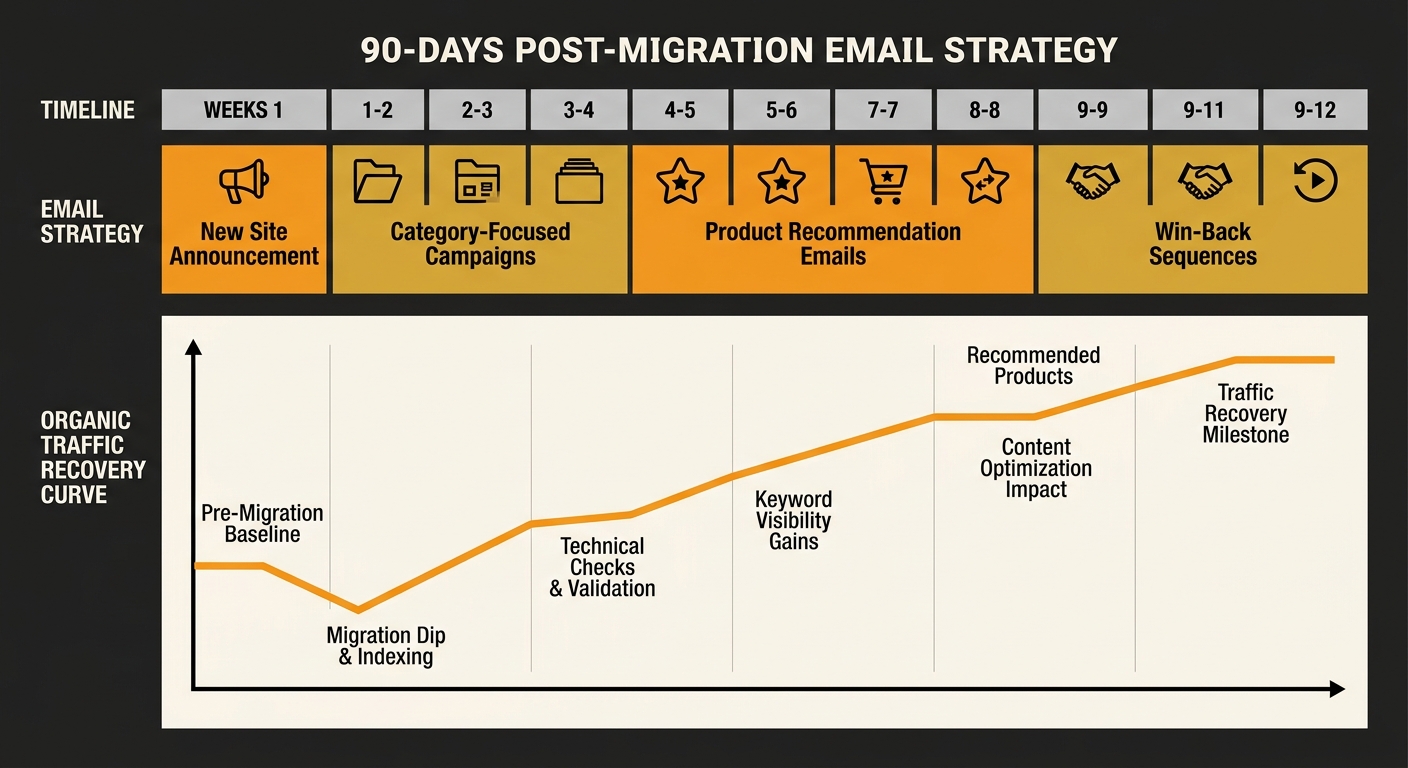
Plan a deliberate post-migration email sequence: a “new site” announcement to your full list, followed by targeted product recommendations driving to your highest-priority category and product pages. If you’ve done the groundwork on content architecture as a technical SEO foundation, your new Shopify site’s collection pages and product hierarchies should already be structured around search intent. Use your email campaigns to mirror that structure — send category-specific emails that push traffic to the pages you most need Google to recrawl.
As Alinga’s post-migration guide notes, Shopify’s built-in features including canonical tags, custom meta fields, and mobile-optimised design create a strong technical foundation. But a strong foundation without traffic signals recovers more slowly than one with active engagement flowing through it.
Post-Launch Email Monitoring and the 90-Day Recovery Window
The first 90 days after migration are when your monitoring cadence matters most. On the SEO side, you’re watching Google Search Console daily for crawl errors, index coverage drops, and keyword ranking shifts. On the email side, you need parallel monitoring.
Track click-through rates on every automated flow weekly. A sudden drop in CTR on an abandoned cart sequence often means the product links are broken — the subscriber clicked, hit a 404 or redirect loop, and bounced. Check email bounce rates from transactional sends (Shopify’s native transactional emails should be configured with your new domain’s SPF and DKIM records, or deliverability tanks immediately). And monitor unsubscribe rates; customers who repeatedly click through to broken pages will opt out rather than troubleshoot.
If you’re working with professional SEO services during your migration, make sure the email infrastructure audit is part of the scope. The website migration SEO playbook covers redirect mapping and indexation monitoring in detail, but the email layer deserves equal attention.
Tip: Set up a weekly cross-check: compare your top 50 email-clicked URLs from your ESP with the crawl status of those same URLs in Google Search Console. If an email-popular URL shows “Crawled – currently not indexed” or returns a redirect error, fix it immediately. That URL is receiving real human traffic and failing to convert it into ranking signals.
What The Numbers Leave Out
The 250,000-redirect case study, the 163% recovery, the 42% organic traffic lift — these figures describe outcomes after successful migrations. They don’t describe the email revenue lost during the transition gap. No public case study has quantified how much abandoned cart recovery revenue drops when those email flows break during a migration, or how many subscribers churn from a list because links in their inbox stopped working for two weeks.
Australian e-commerce stores running Magento with mature email programs (50,000+ subscribers, 10+ active automations, weekly campaign sends) face a compounding risk that smaller stores don’t. Every day with broken email links represents lost traffic signals, lost engagement data, and lost revenue from flows that were generating return on investment long before the migration was planned.
The data we do have confirms that well-executed migrations with precise one-to-one redirects and preserved metadata produce positive outcomes. The data we don’t have is how much faster those outcomes would arrive — and how much less revenue would be lost in the gap — if the email link ecosystem received the same forensic attention as the web redirect map. For any Australian business considering an SEO consultation before a platform move, that question is worth putting on the table before the project kicks off.