

Blocking URLs in your robots.txt file makes every canonical tag and meta robots noindex directive on those pages invisible to Googlebot. This single crawling rules contradiction silently breaks indexing on Australian eCommerce sites more often than duplicate content, broken redirects, or missing sitemaps combined.
TL;DR: Google can’t read canonical tags or noindex directives on pages it’s blocked from crawling. When eCommerce sites use robots.txt to block filtered product URLs that also carry canonical tags, neither signal works. The result: wasted crawl budget, phantom index entries, and ranking dilution across your product catalogue.
The Core Mechanic: Crawl Blocks Erase On-Page Signals
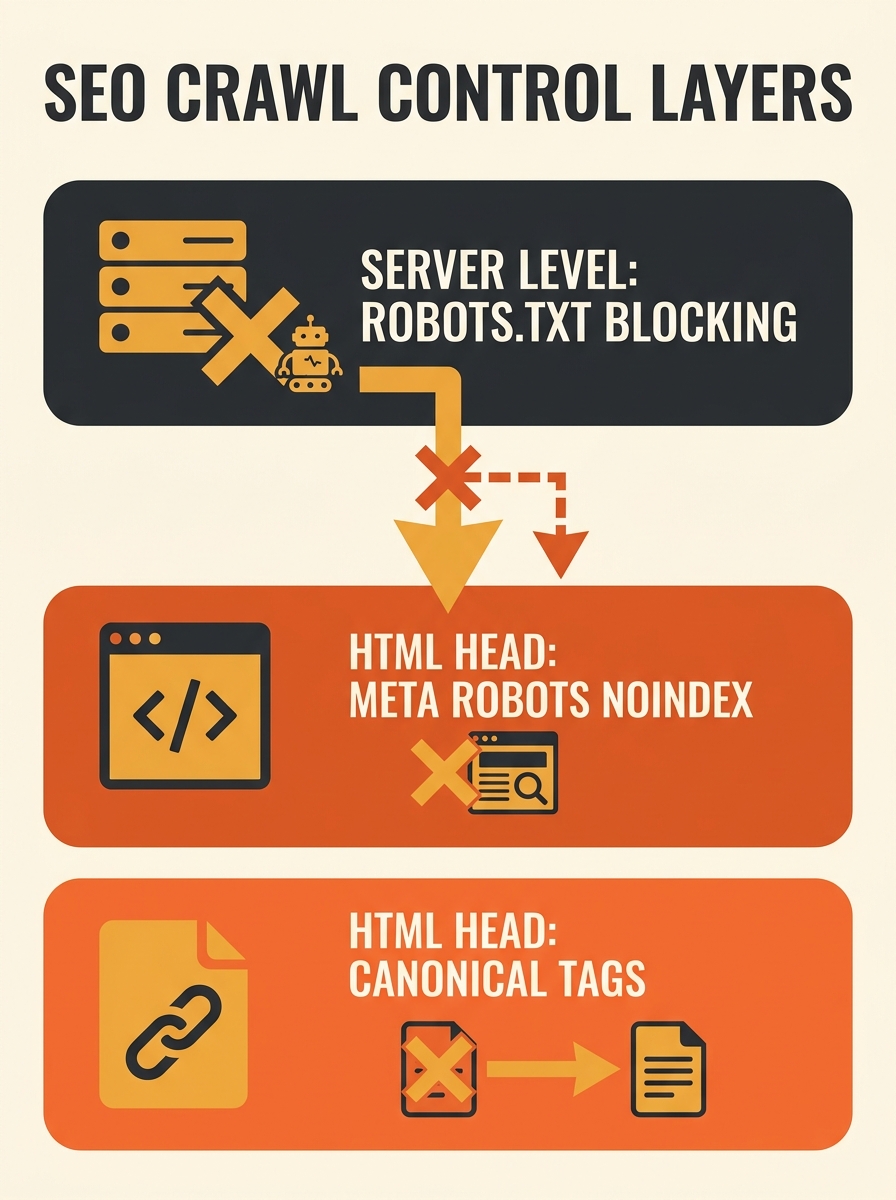
Why do canonical tag conflicts with robots.txt create such persistent problems on eCommerce sites? Because the two tools operate at incompatible layers. robots.txt blocks crawling at the server level before Googlebot ever loads the page HTML. Canonical tags and meta robots noindex directives live inside that HTML. If the crawler never reads the page, it never sees the instructions.
Google’s documentation confirms this hierarchy directly. As The Gray Company’s crawling and indexing guide explains, using robots.txt alongside canonical tags or meta robots “sends conflicting signals to search engines” and “renders them moot because crawlers can’t get to the tags.” A Webmasters Stack Exchange analysis is equally blunt: “robots.txt will prevent Googlebot from crawling your pages, so it will not be able to read meta robots or canonical tags.”
Google’s John Mueller has acknowledged that combining noindex and canonical on the same page is acceptable only in rare edge cases, primarily to forward link signals from a non-indexed page to its canonical target. But even this narrow use case requires the crawler to access the page. A robots.txt disallow rule eliminates the possibility entirely.
The 2025 Web Almanac found that 14.1% of websites return a 404 for their robots.txt file, removing all crawl control. The opposite problem, an overly aggressive robots.txt, is far more common on Australian eCommerce sites running faceted navigation. Audits on large product catalogues show up to 85% of Googlebot’s crawl budget consumed by low-value parameter URLs including sort orders, colour filters, size variants, and pagination sequences.
Filter URLs and the Canonical-to-Nowhere Loop
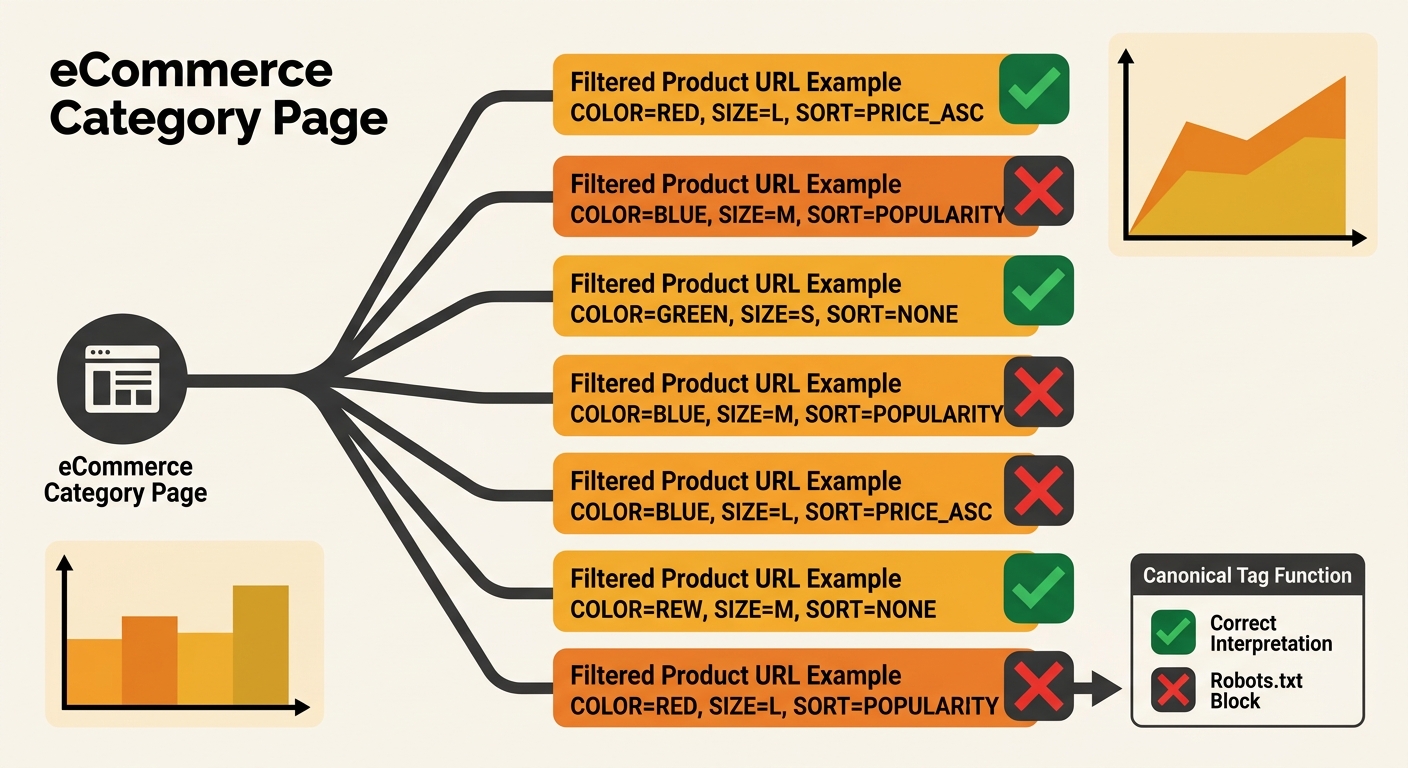
Australian eCommerce sites generate thousands of filtered URLs per category. A single product category with 5 colour options, 4 size variants, 3 sort orders, and 10 pages of pagination creates over 600 unique URLs, all serving near-identical content. The standard technical SEO response is to set canonical tags pointing filtered versions back to the base category URL, then block the filtered URLs in robots.txt to conserve crawl budget.
This approach produces what Screaming Frog’s documentation calls a “non-indexable canonical”: “pages with a canonical URL specified that is non-indexable,” including “canonicals which are blocked by robots.txt, no response, redirect (3XX), client error (4XX), server error (5XX), are noindex, or canonicalised themselves.” When the canonical target is non-indexable, Google receives no valid consolidation signal, and link equity from external sources pointing to those filtered URLs evaporates.
A pattern from a TechSEO Reddit thread illustrates the real-world failure. On one mid-sized eCommerce site, the base category page and first filter level were both canonicalised to themselves correctly. But applying more than one filter generated URLs that were blocked in robots.txt. This created a two-tier system where single-filter pages worked fine and multi-filter pages fell into a crawling rules contradiction that nobody noticed for months.
If you’ve been investigating why search engines waste crawl budget on your site, this filter URL pattern is one of the first places to check. Google Search Console will surface these as “Indexed, though blocked by robots.txt,” meaning Google indexed the URL based on external signals like inbound links and sitemap references without ever crawling the page content or reading its canonical tag.
| Directive | Where It Lives | What It Controls | Outcome When robots.txt Blocks the Page |
|---|---|---|---|
| Canonical tag | HTML head | Signals preferred URL for duplicate content | Invisible to crawler; no consolidation occurs |
| Meta robots noindex | HTML head | Tells crawler to drop page from index | Invisible; page can remain indexed via external signals |
| X-Robots-Tag | HTTP header | Same as meta robots, works on non-HTML files (PDFs, images) | Also invisible if robots.txt blocks the request |
| robots.txt Disallow | Server-level file | Prevents crawling of matched URL patterns | N/A (this IS the blocking mechanism) |
Meta Robots noindex Debugging on Blocked Pages
The third piece of evidence for these technical SEO rule conflicts on Australian eCommerce sites involves noindex specifically. Many site operators use meta robots noindex as a cleanup tool for thin pages, internal search results, and parameter variations. Google’s documentation confirms you can combine nofollow with noindex in a single meta tag for pages you want fully excluded.
But there’s a documented escalation problem. Google’s crawling guide warns that when a page carries “noindex, follow,” Google will eventually ignore the follow command and treat it as “noindex, nofollow”. And if robots.txt blocks the page before Google can read the noindex directive at all? The page sits in a state where it accumulates index entries from external links and sitemap mentions, while neither your noindex tag nor your canonical tag reaches the crawler.
Google Search Console’s coverage report flags this as “Submitted URL marked noindex” when it can reach the page, or “Blocked by robots.txt” when it can’t. As the Local Robot analysis notes, when Console shows “Duplicate, Google chose different canonical than user,” it means “you set a canonical, but Google picked a different one due to conflicting signals.” When both conditions apply to the same URL group, meta robots noindex debugging becomes circular: you check the tag, it’s there in the HTML, but the crawler never reads it.
For sites dealing with hundreds of these crawling rules contradictions across product catalogues, the SEO issue triage framework we’ve outlined previously helps prioritise which URL groups to fix first. Start with pages that have external backlinks pointing to blocked URLs carrying canonical tags, because those represent actual lost equity.
If robots.txt blocks a URL, your canonical tag and noindex directive exist only for humans reading the source code. Googlebot will never see them.
The Signal Hierarchy Check
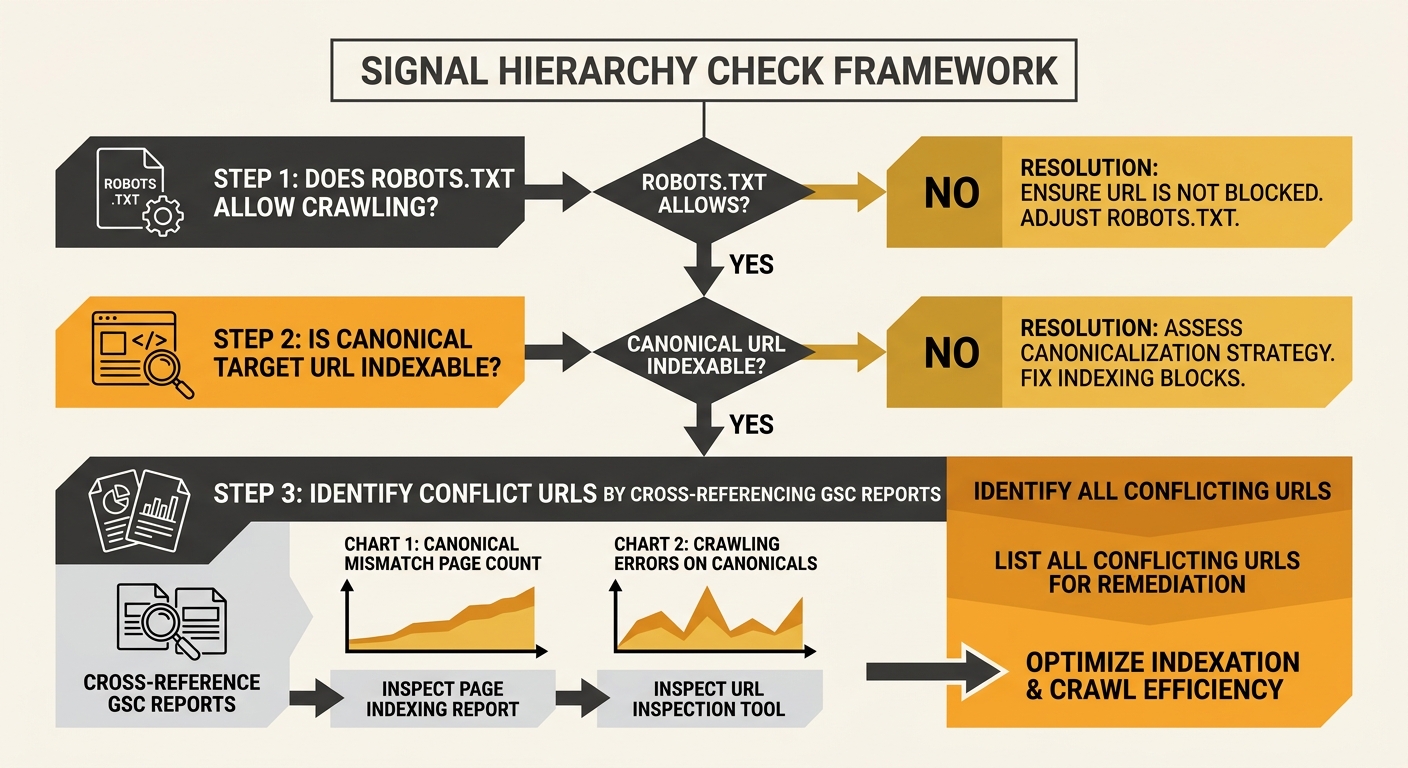
A practical framework for finding and resolving canonical tag conflicts with robots.txt on eCommerce sites involves three ordered steps:
- Crawl access verification. For every URL group you want to control with on-page directives, confirm robots.txt allows crawling. Run a Screaming Frog crawl with your live robots.txt and cross-reference the “Blocked by Robots.txt” report against your canonical and noindex URL lists. On a typical Australian eCommerce site with 8,000 to 15,000 product URLs, expect 10% to 25% of filtered URLs to carry orphaned directives behind a crawl block.
- Directive consistency check. For each crawlable URL, verify that canonical tags point to indexable, crawlable destinations. Screaming Frog flags non-indexable canonicals explicitly across 6 failure types: robots.txt blocked, no response, 3XX redirect, 4XX client error, 5XX server error, and self-canonicalised noindex pages.
- Index status cross-reference. In Google Search Console, filter the Pages report for “Indexed, though blocked by robots.txt” and “Duplicate, Google chose different canonical than user.” These two reports, reviewed together over a 90-day window, expose the exact URLs where your technical SEO rule conflicts are silently burning crawl budget.
Warning: If you’re using robots.txt to block filtered URLs AND those URLs carry canonical tags, pick one strategy. Either allow crawling and let the canonical tag consolidate signals, or block crawling and remove the canonical tag entirely, accepting that Google will handle those URLs based on external signals alone.
This three-step process takes about 45 minutes on a site with under 10,000 URLs. Running it quarterly catches new contradictions before they compound. Sites with content architecture planned as a technical foundation tend to have fewer of these conflicts because URL patterns are designed before robots.txt rules are written.
The Claim, Revisited
The conventional wisdom says robots.txt and canonical tags handle different problems and should be used together. That’s technically true in isolation, but the execution fails on nearly every eCommerce site with faceted navigation because the two tools operate at incompatible layers. robots.txt fires before the crawler reads the page. Canonical tags require the crawler to read the page. Using both on the same URL set guarantees that one cancels the other.
Google’s deprecation of the URL Parameters tool in Search Console during 2025 made canonical tags the primary method for managing parameter-based duplicates, increasing their importance at exactly the moment when robots.txt conflicts became harder to detect without manual auditing. For Australian eCommerce operators running product catalogues with hundreds of filter combinations, the Signal Hierarchy Check provides a structured way to identify where crawling rules contradictions are silently eroding your index quality. The fix isn’t to stop using robots.txt. The fix is to stop using it on URLs where you also need Google to read the HTML.