
Pagination sequences deeper than 50 pages dilute crawl budget so severely that Google stops discovering product pages, according to CrawlVision’s 2026 crawl efficiency analysis. For Australian e-commerce sites with catalogues of 5,000+ products, misconfigured pagination is the largest single source of crawl waste, and the fix involves three design decisions most stores get wrong.
TL;DR: Google deprecated rel=prev/next in 2019, but most e-commerce platforms still output these tags by default. The real damage: canonical conflicts creating duplicate content across paginated URLs, deep pagination burning crawl budget on zero-traffic pages, and infinite scroll hiding entire catalogues from Googlebot. A three-axis audit covering canonical alignment, crawl depth ratio, and indexation rate identifies which pages to fix first.
Google Stopped Using rel=prev/next in 2019 and Most Stores Haven’t Adjusted
Google confirmed in March 2019 that it no longer processes rel=prev/next as an indexing signal. Seven years on, platforms like Shopify, WooCommerce, and Magento still inject these tags into paginated category pages by default. The tags themselves don’t cause direct harm because Google ignores them. The damage comes from what site owners didn’t do after the deprecation: build a proper canonical and internal linking strategy that accounts for how Google actually processes paginated sequences today.
As Shopify’s own pagination SEO guide states, “pagination is generally the better choice for SEO because it gives search engines a crawlable link to every page.” But the guide also makes clear that pagination without correct implementation creates crawl budget waste that compounds over time. Every category with 20 paginated URLs and no canonical strategy generates 20 indexable URLs, most containing near-identical boilerplate content (headers, footers, category descriptions, navigation) with the only unique element being 12 to 24 product cards per page.
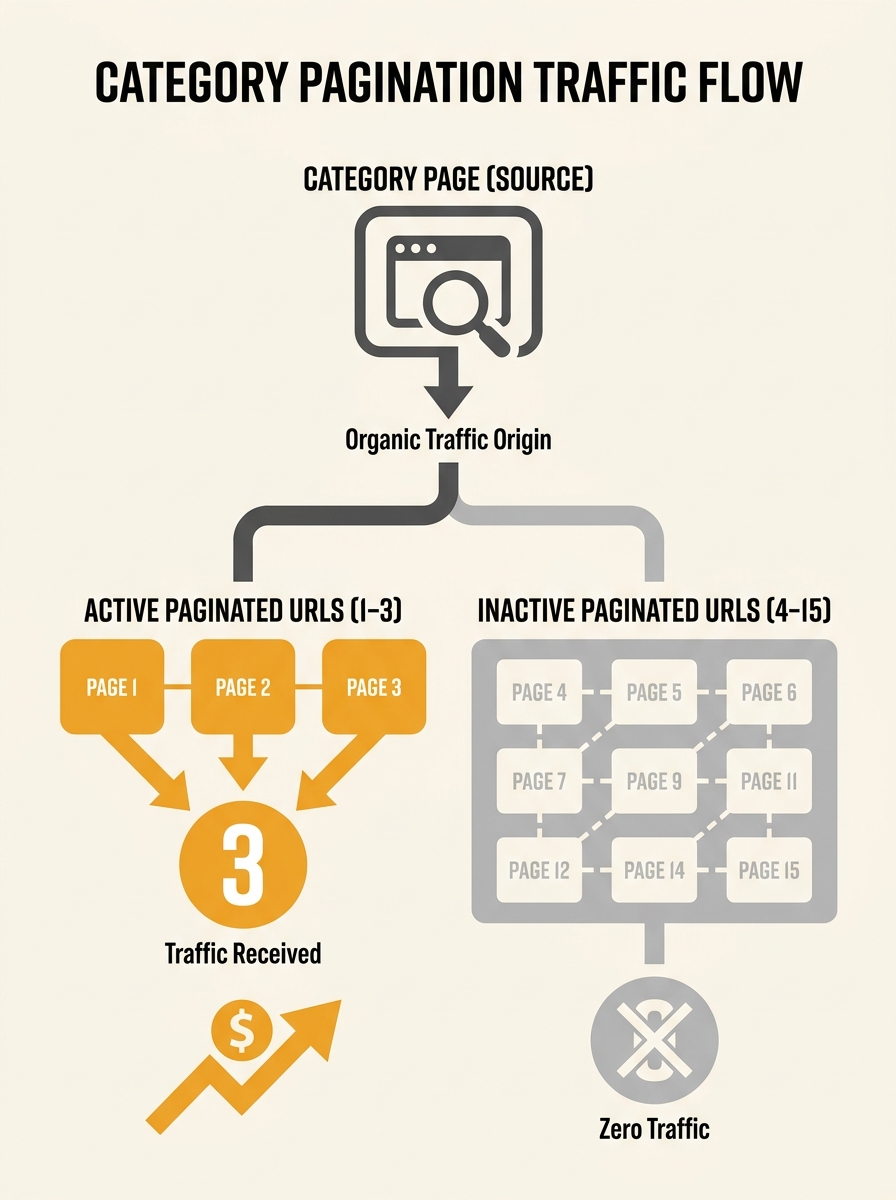
For an Australian fashion retailer with 40 categories and 15 paginated pages each, that’s 600 URLs competing for crawl attention. If 80% of those pages generate zero organic traffic, Googlebot is spending the majority of its crawl budget on pages that deliver nothing.
The Canonical-Pagination Conflict That Creates Duplicate Content
Why does duplicate content from pagination persist at such scale? Because the default behaviour on most platforms sets every paginated URL’s canonical tag to point back to page 1. Page 2 of “Women’s Running Shoes” canonicalises to page 1. Page 7 canonicalises to page 1. Google interprets this as a signal that pages 2 through 15 are duplicates of page 1 and should be consolidated.
This creates two problems simultaneously. First, the products listed on pages 2 through 15 lose their crawlable entry point into Google’s index. If page 7 contains 24 products and that page is canonicalised away, those products need internal links from elsewhere on the site to get crawled. Without those links, they become orphan pages. Second, Google sees conflicting signals: the paginated URLs exist, the internal linking points to them, but the canonical tag says they shouldn’t be indexed. This conflict burns crawl budget because Googlebot keeps re-evaluating the pages without indexing them.
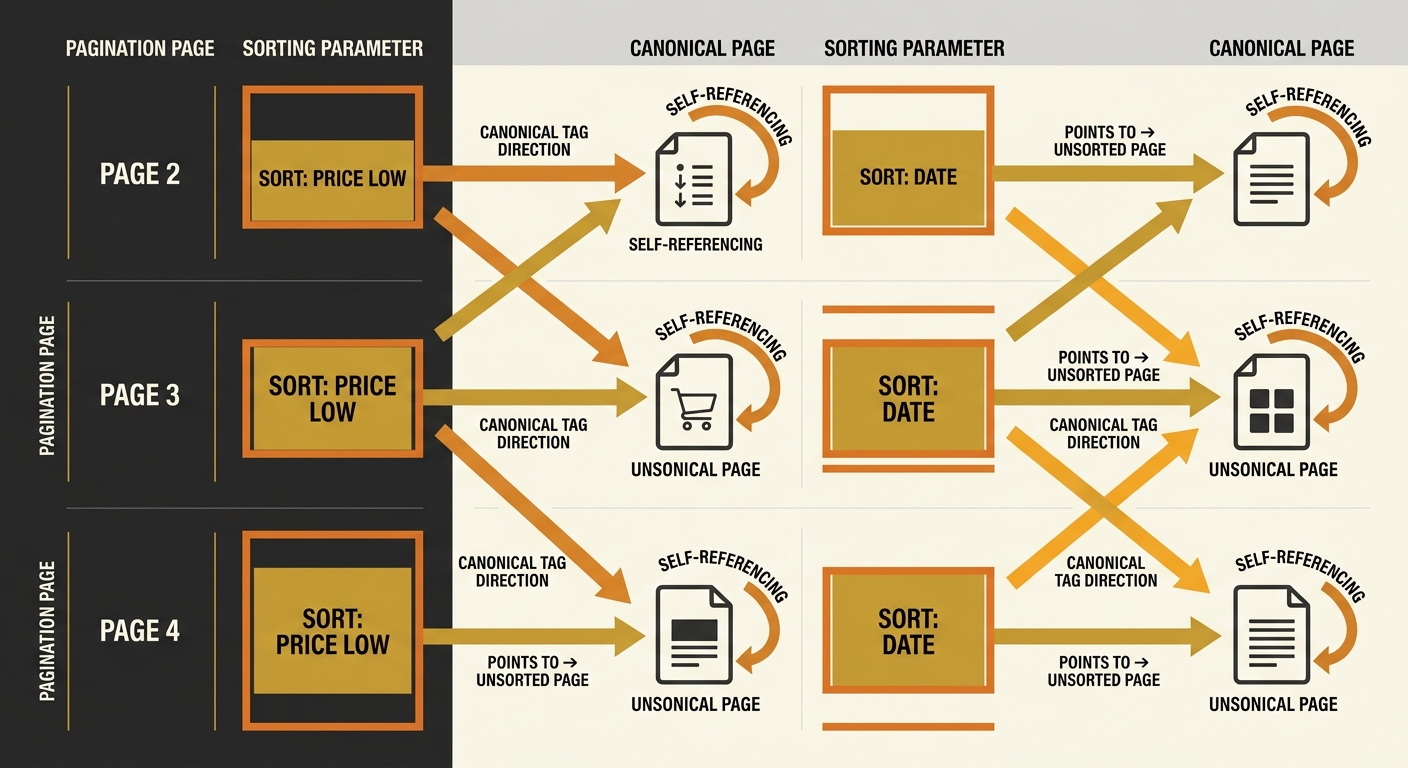
The correct setup, according to the GSQI pagination tutorial, uses self-referencing canonicals on each paginated page. Page 2 canonicalises to page 2. Page 7 canonicalises to page 7. This tells Google each page is a distinct, valid URL worth indexing on its own terms.
We’ve covered why canonical tags fail for Australian SMEs in a previous audit, and the pagination case is the most common trigger. When sorting parameters enter the picture (sort by price, sort by newest), the conflict multiplies. A category with 15 paginated pages and 4 sort options generates 60 unique URLs. The canonical tag on each sorted variation should reference the core URL without sorting parameters, while the pagination canonical should remain self-referencing. Getting this hierarchy wrong creates a matrix of duplicate content that search engines struggle to untangle.
Warning: If your paginated pages all canonicalise to page 1, every product listed beyond page 1 is at risk of becoming an orphan page. Check Google Search Console’s “Duplicate, Google chose different canonical than user” report to identify affected URLs.
Deep Pagination Sequences That Bleed Crawl Resources
The SEO Engico technical audit framework documents a pattern seen repeatedly across e-commerce clients: “clients keep buying links to pages that Google has not crawled in six months. The pattern is almost always the same. Filter URLs eating the budget. Pagination spiralling into nothing.” This observation aligns with data from Conductor’s crawl budget reference guide, which identifies crawl budget as “one of THE key points of technical SEO” because “when you optimize for crawl budget, everything else falls into place.”
For sites with 100,000+ pages, Hashmeta’s technical SEO guide recommends reducing crawl waste by “auditing and eliminating low-value, duplicate, and auto-generated pages.” Pagination pages beyond a certain depth almost always qualify as low-value. The question is: where’s the threshold?
A useful benchmark from the Brave search analysis: if pages 8 through 15 of a category generate no traffic, apply noindex to those pages to free crawl budget for high-value content. The exact threshold varies by site. An electronics retailer with 200 products per category might find pages beyond page 3 generate zero clicks. A furniture store with 40 products per category might need every paginated page indexed. The answer lives in your Google Search Console performance data filtered by page.
This connects directly to how site architecture decisions block Google’s indexing. Pagination depth is an architectural choice, and treating it as a default setting rather than an intentional design decision is where Australian e-commerce sites lose the most crawl budget.
Scoring Pagination Health: The Three-Axis Waste Audit
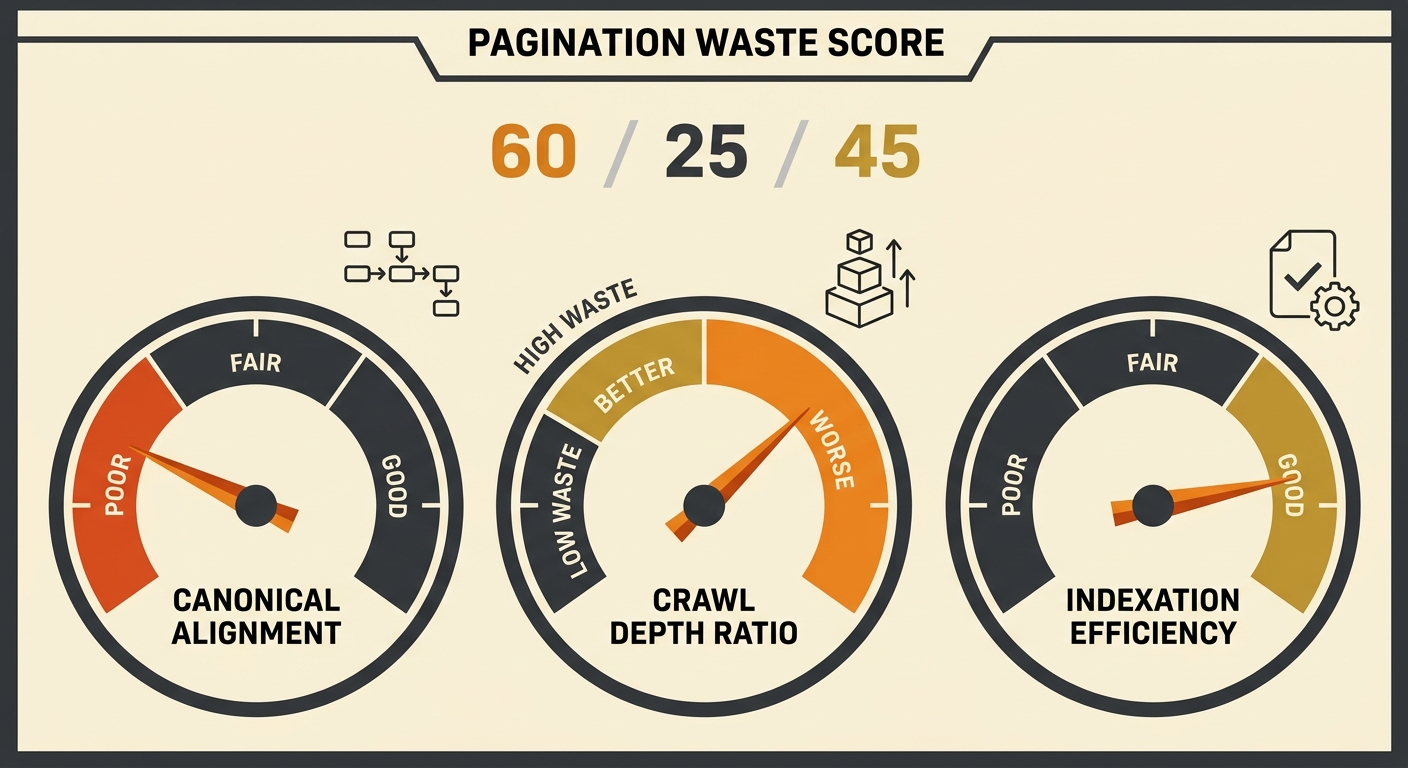
Evaluating pagination across an entire e-commerce site requires a repeatable framework. The Pagination Waste Score assesses three axes: canonical alignment, crawl depth ratio, and indexation efficiency.
| Axis | What It Measures | Healthy Score | Warning Sign |
|---|---|---|---|
| Canonical Alignment | % of paginated pages with self-referencing canonicals | 95%+ | Below 60% indicates most pages canonicalise to page 1 |
| Crawl Depth Ratio | Ratio of pages crawled monthly (via log files) vs. total paginated pages | Above 0.7 | Below 0.3 means Google is ignoring 70%+ of paginated URLs |
| Indexation Efficiency | % of indexed paginated pages that receive at least 1 click/month | Above 50% | Below 20% means most indexed pages deliver zero traffic |
Canonical alignment is the easiest to audit. Export all paginated URLs from a crawl tool, compare the canonical tag on each URL to the URL itself, and flag any mismatch. A site with 600 paginated URLs where 400 canonicalise to page 1 scores 33% on this axis.
Crawl depth ratio requires server log analysis. Download 30 days of Googlebot requests, filter for paginated URL patterns (/page/2, /page/3, ?page=2), and divide unique paginated URLs crawled by total paginated URLs that exist. If Googlebot touched 180 out of 600 paginated URLs in a month, the ratio is 0.3.
Indexation efficiency comes from Google Search Console. Export the performance report filtered to paginated URL patterns, count pages with at least 1 click in 90 days, and divide by total indexed paginated pages. If 120 paginated pages are indexed but only 35 received a click, efficiency sits at 29%.
Sites scoring below the warning threshold on 2 or more axes have a pagination problem significant enough to warrant a redesign, not a patch. Identifying hidden crawling rule conflicts across robots.txt, canonical tags, and meta robots directives is the necessary first step before touching pagination markup.
Infinite Scroll Without a Paginated Fallback Hides Your Catalogue
Infinite scroll presents the worst pagination SEO scenario when implemented without a server-rendered paginated alternative. JavaScript-dependent infinite scroll loads products into the DOM as the user scrolls, but Googlebot processes the initial HTML response. If that response contains only the first 24 products with no links to subsequent paginated URLs, the remaining catalogue is invisible to search engines.
Google’s own guidance recommends providing a parallel paginated version accessible via standard HTML links whenever infinite scroll is used. The HTML5 History API should update the browser URL as users scroll (shifting from /shoes to /shoes?page=2, /shoes?page=3), and server-side rendering should deliver the correct product set for each URL. Without this, an Australian homewares store with 3,000 products could have 80% of its catalogue hidden from Google entirely, a figure consistent with the SEO Engico audit observation that “infinite scroll quietly hiding 80% of the catalogue” is a recurring pattern.
Each paginated page should also carry a unique title tag that includes the page number (e.g., “Women’s Running Shoes — Page 3 | Store Name”). Shared title tags across paginated pages trigger duplicate content flags for e-commerce sites, adding another layer of crawl waste on top of the discoverability problem.
If Googlebot can’t find a crawlable HTML link to page 4 of your category, every product on page 4 needs an alternative path into the index — or it won’t get there.
What The Numbers Still Can’t Answer
The Pagination Waste Score identifies where crawl budget leaks, but it can’t tell you the revenue impact of fixing those leaks. Google doesn’t publish crawl budget allocations per site. The relationship between crawl frequency and indexation speed varies by domain authority, content freshness, and server response times in ways that are site-specific and hard to generalise.
Log file analysis reveals what Googlebot is doing, but not why it’s prioritising certain URLs. A site might fix every canonical conflict, reduce pagination depth from 50 pages to 8, implement server-rendered infinite scroll fallbacks, and still see slow crawl recovery if page speed metrics or server response times remain poor.
The three-axis framework gives you a starting diagnostic. Canonical alignment is fixable within a single deployment cycle on most platforms. Crawl depth ratio improves over 4 to 8 weeks as Googlebot re-evaluates the site. Indexation efficiency is the trailing indicator — it shifts only after the first two axes reach healthy thresholds and Google has had time to recrawl and reindex the affected URLs.
What’s clear from the data: Australian e-commerce sites burning crawl budget on 500+ paginated URLs where fewer than 100 receive any traffic have an addressable problem. The fix is architectural, it sits in your site’s design layer, and it compounds in value as your product catalogue grows.