

Google’s documentation states it without qualification: if a page is blocked by robots.txt, the crawler will never see the noindex rule. That single line from Google Search Central explains why PPC landing pages Australian businesses want hidden from organic results keep appearing there, cannibalising the paid campaigns those businesses are actively funding.
Two Systems Built Years Apart for Different Jobs
The robots.txt protocol arrived in 1994 as a plain text file that tells crawlers which URLs they’re allowed to request. It controls access. The meta robots tag came later as an HTML-level instruction that tells crawlers what to do with the content after they’ve already fetched it. One governs the door. The other governs what happens inside the room.
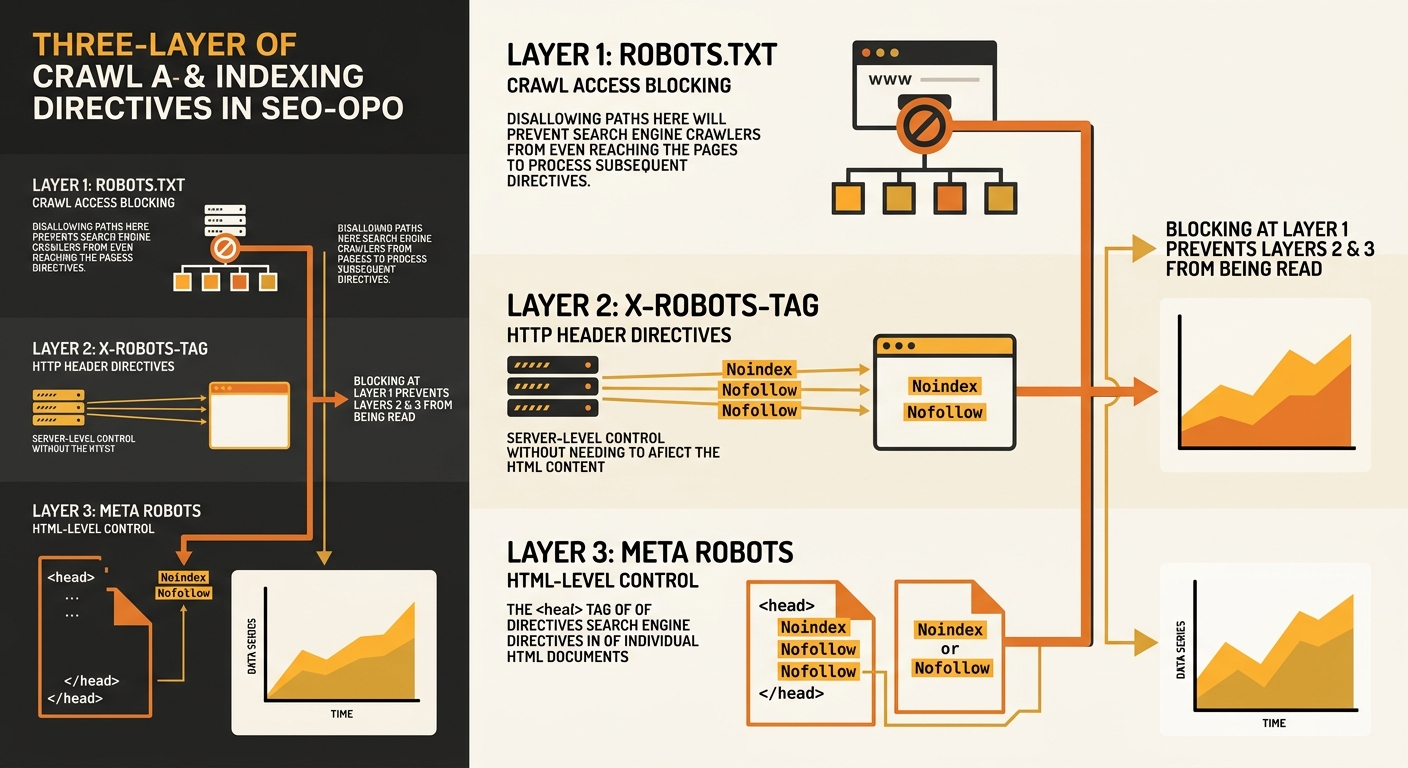
The distinction matters because crawling and indexing are separate processes. Google’s own documentation defines crawling as finding and analysing content, while indexing is the decision to add or keep a URL in the search index. Robots.txt operates at the crawling layer. Meta robots and X-Robots-Tag operate at the indexing layer. They were designed to work in sequence: the crawler checks robots.txt first, and if access is allowed, it then reads the page-level directives.
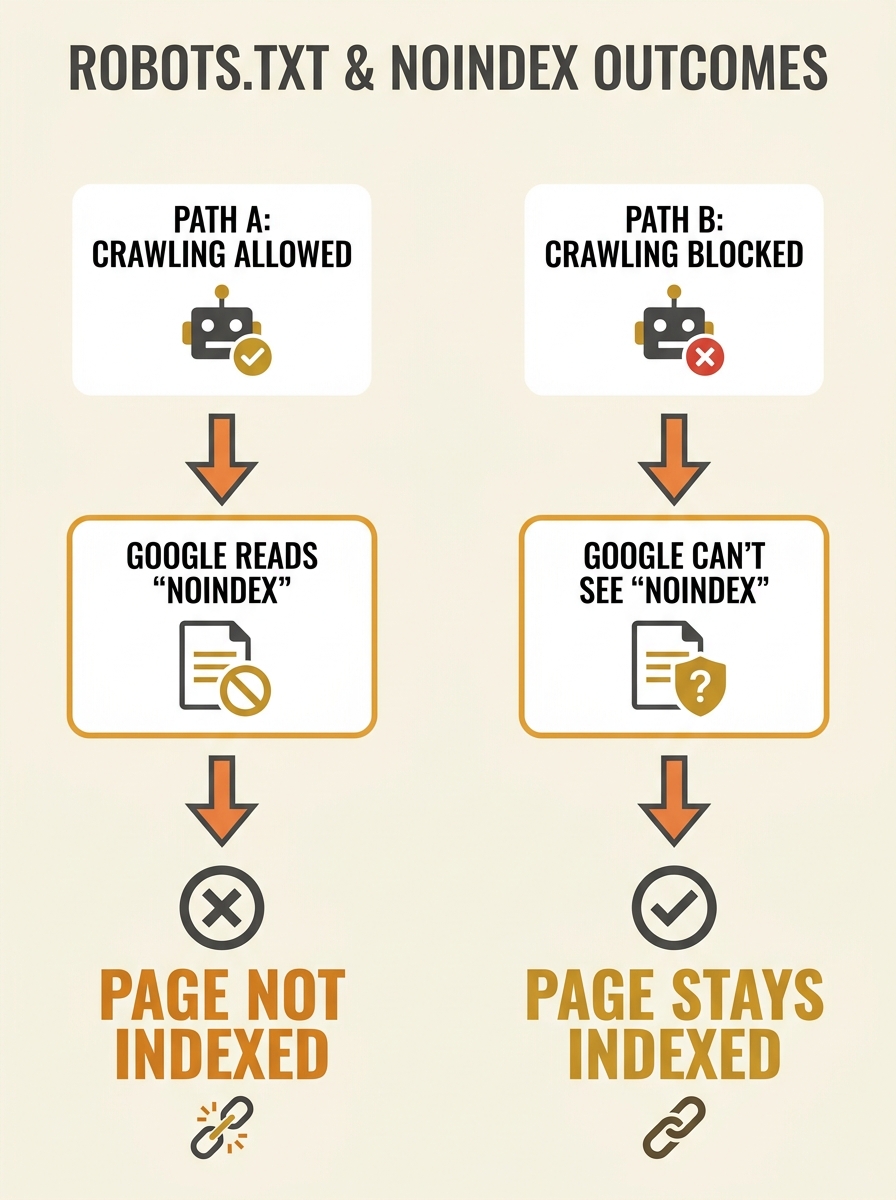
For paid search teams, this two-layer system creates a trap. You build a conversion-focused landing page, add a noindex tag to keep it out of organic results (so it doesn’t compete with your ads), and then someone on the dev team adds a Disallow rule in robots.txt for the same URL path. The noindex instruction becomes invisible to Google because the crawler never reaches the page to read it.
The Conflict Surfaces in Search Console
The first sign of trouble is usually a Search Console coverage report showing URLs that are “indexed, though blocked by robots.txt.” That status message means Google found the URL through external links or sitemaps, couldn’t crawl it because of the Disallow rule, but indexed it anyway based on whatever anchor text and link signals it could gather from other pages.
The result is a ghost listing: a URL in Google’s index with no title tag, no meta description, and no content snippet. For an e-commerce brand running paid search campaigns in Australia, that ghost listing sits in organic results alongside paid ads for the same product. The listing looks broken, it damages brand perception, and it draws clicks away from the carefully crafted ad copy you’re paying $2-$8 per click for.
As one technical SEO discussion on Reddit put it plainly: “robots.txt is a crawl directive, not an indexing directive.” You can block the crawler from visiting, but you can’t stop Google from indexing the URL if it discovers the page through other signals. The Disallow rule tells Google “don’t look,” while the noindex tag tells Google “look, but don’t list.” When both are present, the Disallow wins because it fires first, and the noindex never gets read.
Google’s Documented Precedence Rules
Google’s Robots Meta Tags Specifications clarify how conflicting directives at the same layer resolve: the most restrictive rule wins. If one directive says “index” and another says “noindex,” the page won’t be indexed. If one says “follow” and another says “nofollow,” links won’t be followed.
But that rule applies to conflicts within the same layer. Between layers, the logic is simpler and harsher: robots.txt blocks crawling entirely, so page-level directives are never evaluated. There’s no conflict resolution because Google never reaches the second instruction.
This creates a specific hierarchy for technical SEO rule conflicts:
- Robots.txt Disallow fires first and blocks the request entirely
- X-Robots-Tag in the HTTP response header fires next (if crawling is allowed)
- The meta robots tag in the HTML head fires last (if crawling is allowed and the page renders)
For paid search practitioners managing landing page visibility, that hierarchy dictates which tool to use. If you want a page crawlable but not indexed, meta robots noindex or X-Robots-Tag noindex is the correct choice. If you want a page completely inaccessible to bots (admin panels, staging environments), robots.txt Disallow is the correct choice. Combining both for the same URL defeats the purpose of each.
The Paid Search Damage Pattern
Why does this specifically matter for paid campaigns? Three scenarios come up repeatedly for Australian businesses running Google Ads alongside organic SEO.
Scenario one: PPC landing pages leaking into organic results. You’ve built a stripped-down, high-conversion landing page for your Google Ads campaigns. You don’t want it ranking organically because it has thin content, no navigation, and a single CTA. You add noindex. A developer adds a blanket Disallow for the /campaigns/ directory. Google never reads the noindex, indexes the page from inbound links, and now a content-thin page sits in organic results hurting your site’s overall quality signals. If you’ve been working on building topical authority for your domain, a cluster of poorly-indexed landing pages undermines that effort.
Scenario two: organic pages accidentally blocked, forcing paid dependency. A robots.txt rule intended for a staging subdirectory catches production URLs through an overly broad pattern like Disallow: /products?. Every product page with a query parameter gets blocked from crawling. Organic traffic drops, and the business compensates by increasing ad spend on branded and product terms. The fix is a one-line robots.txt edit, but the problem persists for weeks because nobody connects the Search Console crawl errors to the paid search budget blowout.
Scenario three: Quality Score erosion. Google Ads uses its own crawling to evaluate landing page experience, one of the three components of Quality Score. If robots.txt blocks Googlebot from accessing a landing page, the quality assessment can’t complete properly. Lower Quality Scores mean higher cost-per-click and worse ad positions, directly inflating campaign costs.
Warning: If your robots.txt file blocks the URL paths used by your Google Ads landing pages, you’re simultaneously preventing organic noindex directives from working AND potentially degrading your ad Quality Scores. Check both systems together, not in isolation.
AI Crawlers Added Another Variable
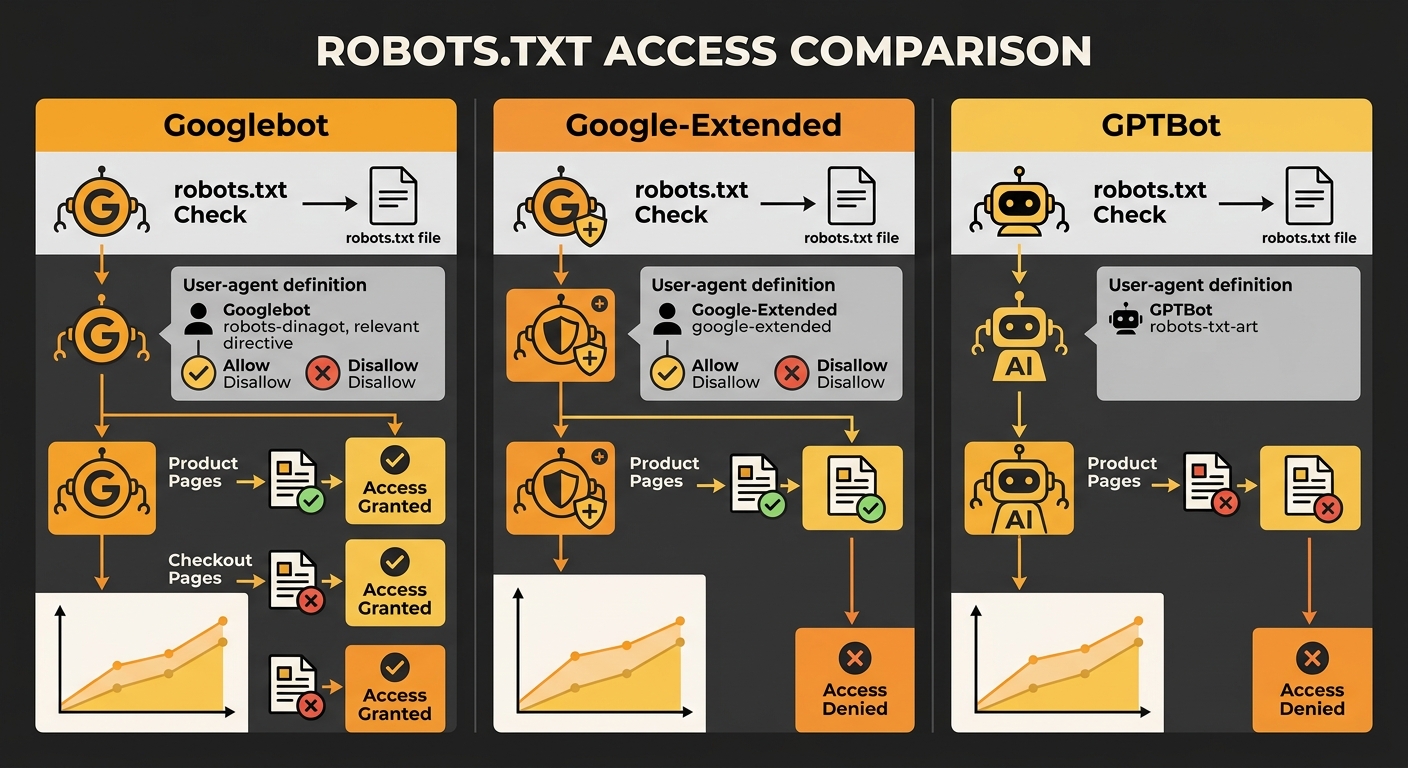
The arrival of AI-specific crawlers introduced a new dimension to these conflicts. Google-Extended, GPTBot, and other AI training bots respect robots.txt independently of the main Googlebot crawler. Blocking Google-Extended in robots.txt prevents your content from appearing in AI Overviews, but it doesn’t affect standard search indexing.
This matters for businesses working on earned visibility in AI search results. A single robots.txt file now controls access for multiple bot types with different purposes. Blocking one bot while allowing another requires precise User-agent directives, and a careless wildcard Disallow rule can shut out all of them simultaneously.
The practical question for Australian businesses running both paid and organic strategies: do you want your content available to AI systems that generate answers, or do you want it restricted to traditional search? That decision sits in your robots.txt, and it interacts with your meta robots tags in the same layered way. An X-Robots-Tag can specify different instructions for different bots on the same URL, which gives you header-level control that meta tags in HTML can’t match.
Auditing the Conflict in Practice
Finding these conflicts requires checking two files against each other. Pull your robots.txt rules and cross-reference them against every URL that carries a noindex directive. Google Search Console’s URL Inspection tool will tell you whether a specific page is blocked by robots.txt and whether it’s currently indexed.
The pattern to look for: any URL where the robots.txt status says “blocked” and the indexing status says “indexed” or “discovered but not crawled.” Those URLs represent active conflicts where your crawl and indexing rules are working against each other.
For sites using structured data for rich results, this audit is doubly important. Schema markup on a page blocked by robots.txt will never be processed, which means you’re maintaining structured data that Google can’t read. The effort is wasted, and the rich results you’re expecting will never appear.
Fixing the conflict usually means choosing one approach:
- To hide a page from search results: Remove the Disallow rule, keep the noindex tag, and let Google crawl the page so it can read the instruction to exclude it from the index.
- To block all bot access: Keep the Disallow rule, remove the noindex tag (since it’s redundant when crawling is blocked), and accept that the URL might still appear in the index as a ghost listing if other pages link to it.
- To fully de-index a blocked page: Temporarily remove the Disallow, add noindex, wait for Google to crawl and process the directive, confirm de-indexing in Search Console, then optionally re-add the Disallow.
The single most common mistake is treating robots.txt as an indexing control. It’s a crawling control. That distinction changes which tool you reach for and what outcome you get.
The State of Play
The robots.txt and meta robots conflict persists because both systems look like they solve the same problem — keeping pages out of search results — when they actually operate on different layers of Google’s crawl indexing rules. Australian SEO practitioners and paid search managers who audit these directives as a unified system, rather than two separate configs, catch the contradiction before it costs them traffic or ad budget. Every landing page, every product URL, and every staging directory deserves a deliberate, single-layer decision about whether you’re controlling access or controlling visibility. The pages that end up as empty ghost listings in Google’s index are almost always the ones where someone tried to do both at once.